

Plans, photos and receipts on the phone in your pocket.
Every project gets a tidy set of folders the day it is created, so nobody has to dig through email threads to find the current sheet.
- Daily Reports, Photos, Receipts and Documents folders per project
- Mark up any PDF and save it as a new version
- PDF thumbnails so you find the right sheet fast
- Receipts tagged to vendor, amount and cost code
14-day free trial · No credit card required to start · Cancel anytime
Plans with pinned photos
Drop photos, punch items and questions right on the project drawings, so every issue is tied to the spot on the plan where it happened.
One place for everything the job produces
Drawings, specs, safety documents, submittals, jobsite photos and receipts all live under the project instead of on somebody's phone.
- Upload from phone, tablet or desktop
- PDF thumbnails and fast preview
- Photos flow in from daily reports automatically
- Receipt capture with vendor, amount and cost code
- Version history when you save a markup
- Role-based access so cost data stays private
Markup without leaving the app
Open a PDF, draw on it, add notes and save it as a new version. The crew in the field is looking at the same marked-up sheet the office just published, with no third-party app and no printing.
Photos that prove what happened
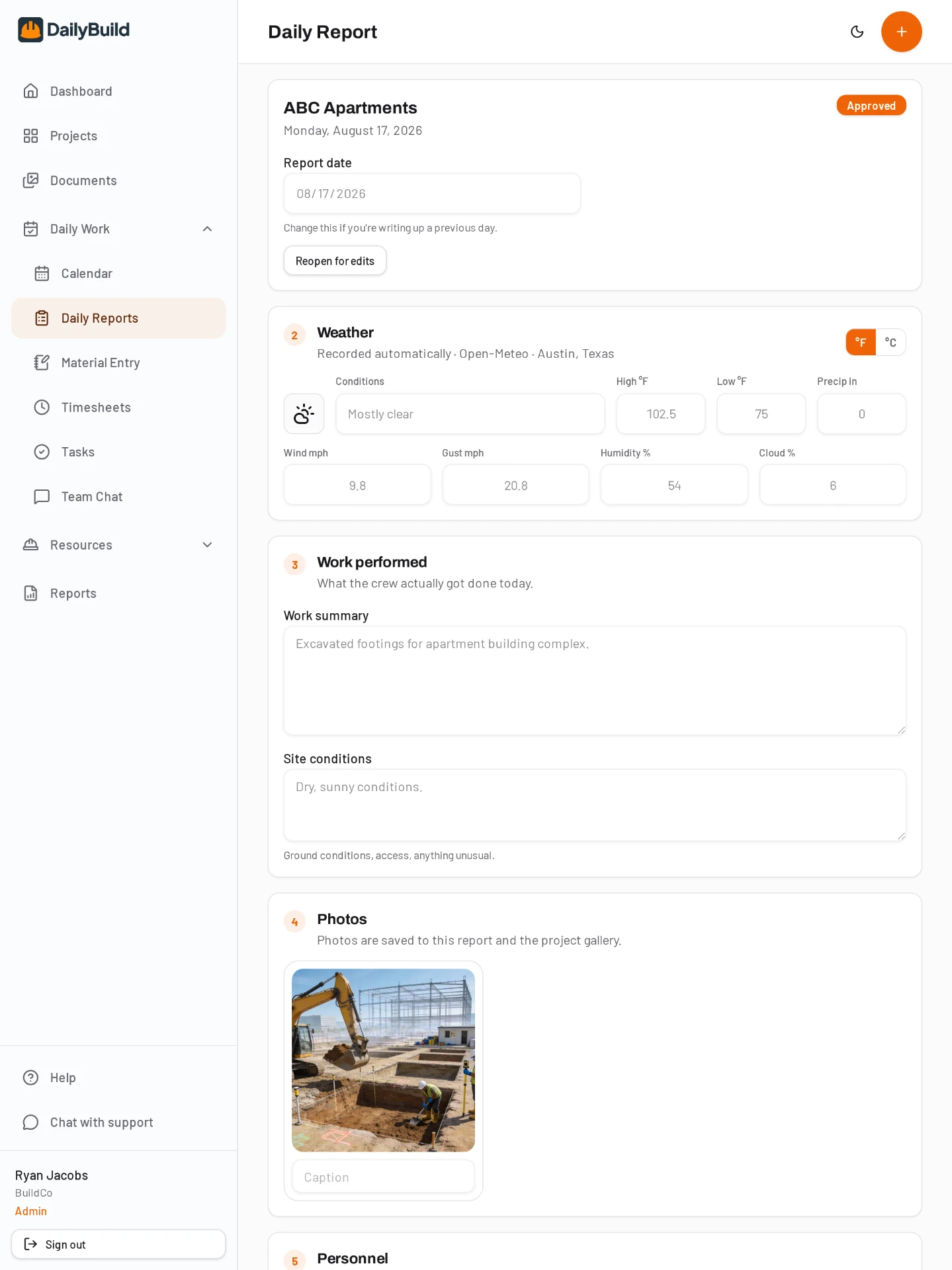
Photos taken inside a daily report are stamped to that day and project and also land in the project gallery, so a year later you can still show what the site looked like on a given date.
Or keep the files in your own Google Drive or SharePoint
Connect your storage under Profile, then Storage, and link a cloud folder to a project. Linked folders sync every few hours, when the project is opened and any time you tap Sync now, and markups save back over the original cloud file as a new version. See the integrations page for the details.
Free for the whole team
Give the owner, the GC and every inspector a login without paying per seat. Plans are priced by active projects, starting at $49/month for 1 project and $149/month for 5.
Common questions
Can I mark up drawings in DailyBuild?
Yes. You can mark up PDFs inside the app and save the result as a new version alongside the original.
Where do jobsite photos go?
Photos attached to a daily report are stored with that day's report and in the project photo gallery.
Can I track receipts for job costing?
Yes. Photograph a receipt and tag it to a vendor, amount, project and cost code, then export cost data to Excel.
Can I stop certain people from seeing costs?
Yes. Inspector and viewer roles never see rates, unit costs or receipt amounts.
Try it on your next job
Set up a project in a few minutes and put your whole crew on it for free.
14-day free trial · No credit card required to start · Cancel anytime