

The field app your crew will actually use.
Superintendents, foremen and owners run the whole job from one screen. Daily reports, hours, photos, safety and punchlist, done before the truck leaves the gate.
14-day free trial · No credit card required to start · Cancel anytime

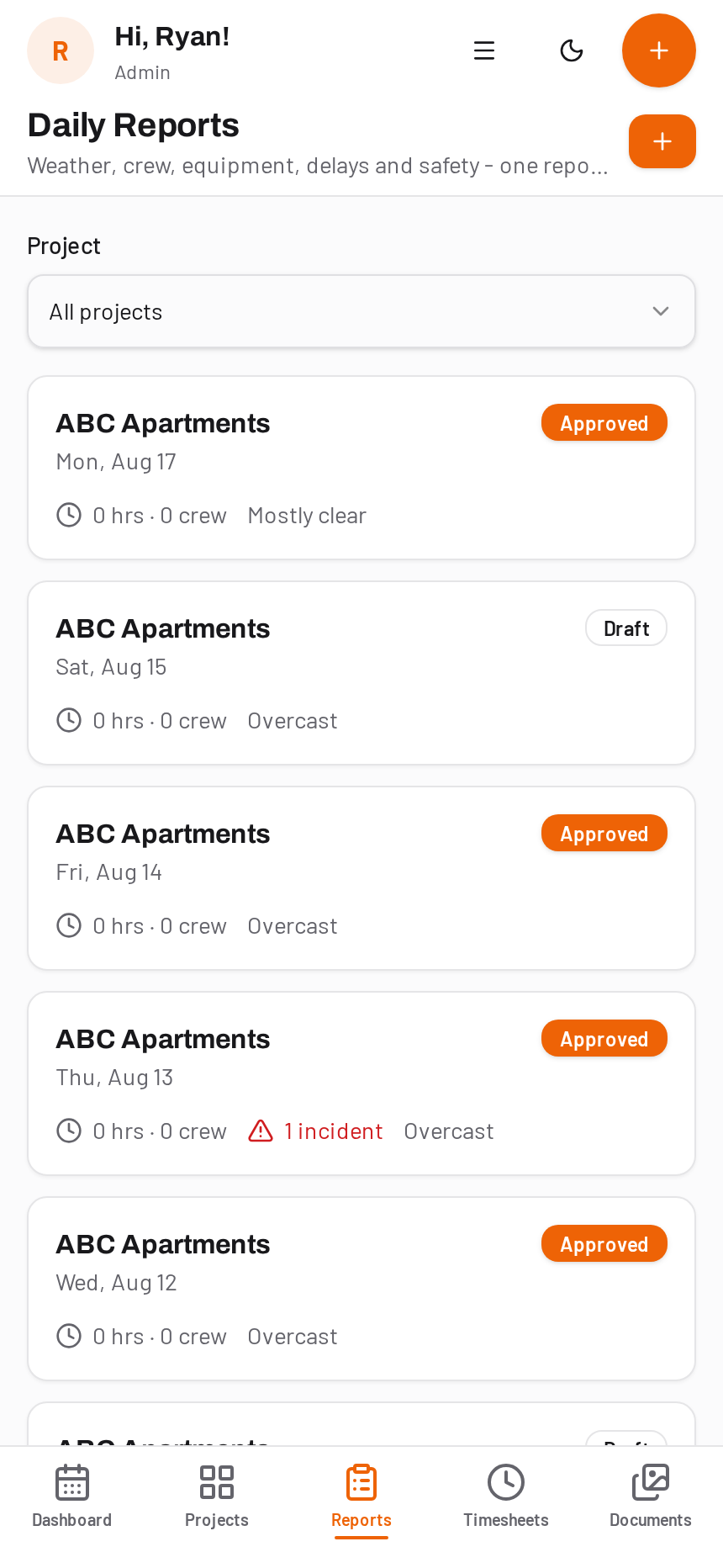
Real results from contractors that replaced paper and spreadsheet reporting with DailyBuild.







What today looks like without DailyBuild
Reports written at the kitchen table
The day ends and the paperwork starts. Details get fuzzy and the report lands two days late.
Hours chased by text message
Payroll Monday turns into a scavenger hunt through photos of handwritten timecards.
Per-user pricing that punishes growth
Every seat you add costs more, so half the crew never gets an account and never uses the tool.
A day in the life
Four taps. The whole day, documented.
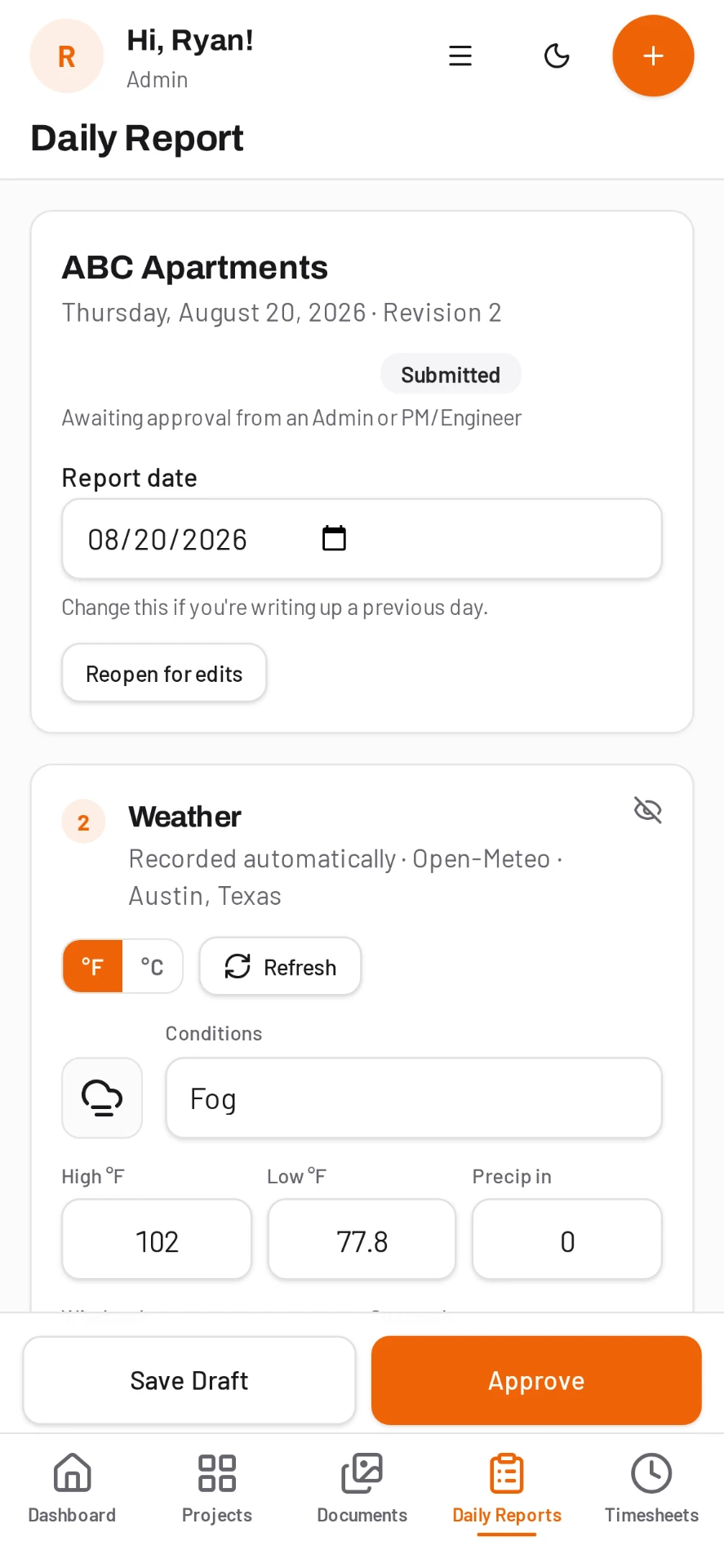
Open the day, weather is already in
The report opens on today's date with conditions pulled from the project address. Your foreman starts with what happened, not with setup.
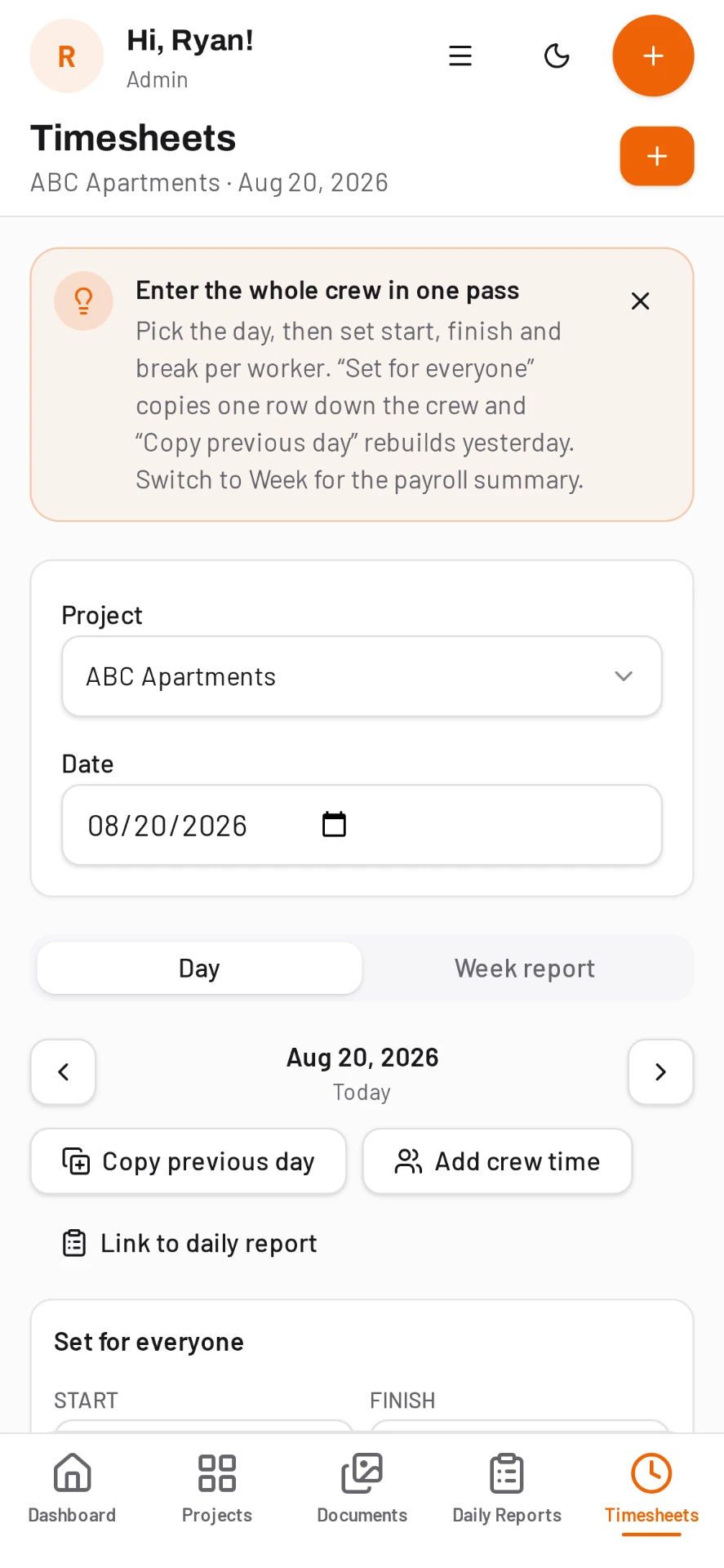
Log crew and hours as the day runs
Day-first timesheet entry by crew member and cost code. Hours flow straight into the daily report and into payroll exports.
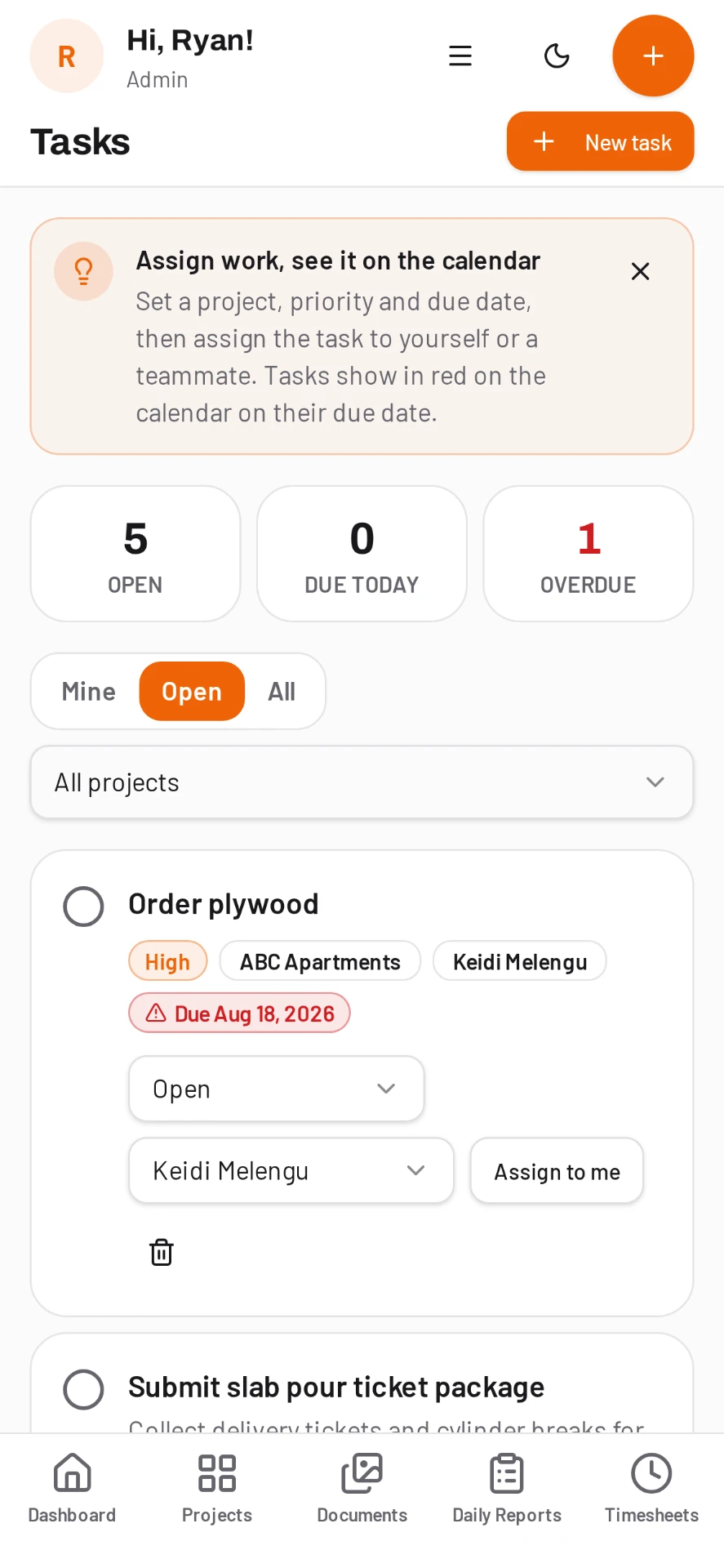
Photos and tasks in the same tap
Snap progress, damage or a delivery and it lands on the right day. Turn anything into an assigned task with a due date.
Sign, submit, PDF filed
One signature and the branded report is stored and shareable. The office sees it before the crew hits the highway.
The output
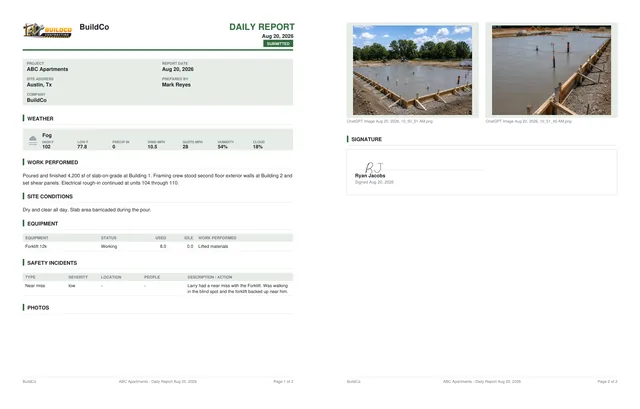
A branded PDF report, filed automatically.
Every completed report becomes a clean, professional PDF with your logo, weather, work performed, equipment, safety incidents, photos and a signature - ready to send to the owner the moment it is submitted.
Everything included
One app instead of five subscriptions.
In the field
Weather fills itself, crew and hours carry over, sign on screen and the PDF is filed.
Day-first entry by crew and cost code, ready for payroll export.
Snap from the report, tagged to the project, date and location automatically.
Assign work, set due dates and see what is open across every job.
Project-scoped messaging so field questions stop living in text threads.
Basements, tunnels and rural sites. Entries sync the moment signal comes back.
Safety and quality
Pick a topic from the library, run the talk, capture the sign-in sheet.
Scored checklists where a failed item can open a punchlist item on the spot.
Hazards, controls and required PPE recorded per task before work starts.
OSHA recordable tracking with days away, root cause and corrective actions.
Who is certified, what expires when, and who is still missing a card.
Before and after photos, assignment to the sub, verification sign-off.
In the office
Upload plans and specs, mark up PDFs and keep every version in order.
Deliveries, inspections, milestones and delays on one project timeline.
PDF and Excel exports with your logo, ready to send to owners and clients.
Every active job in one dashboard, so nothing goes quiet without you noticing.
Give owners, subs and inspectors exactly what they should see, nothing more.
Plans are priced by active projects. Add the whole crew, office and client at no extra cost.
New: Daily AI
Daily AI writes tomorrow's toolbox talk and finds answers in your documents
Type a topic and Daily AI drafts a complete toolbox talk from your own safety documents, ready for the morning huddle. It also answers questions from your plans, specs and daily reports, and shows the file and page every answer came from.
- Toolbox Talk Generator built on your own documents
- Answers cite the file and page they came from
- RFI drafts and document summaries in one tap
- Included on every plan with monthly AI credits
Safety without the binder
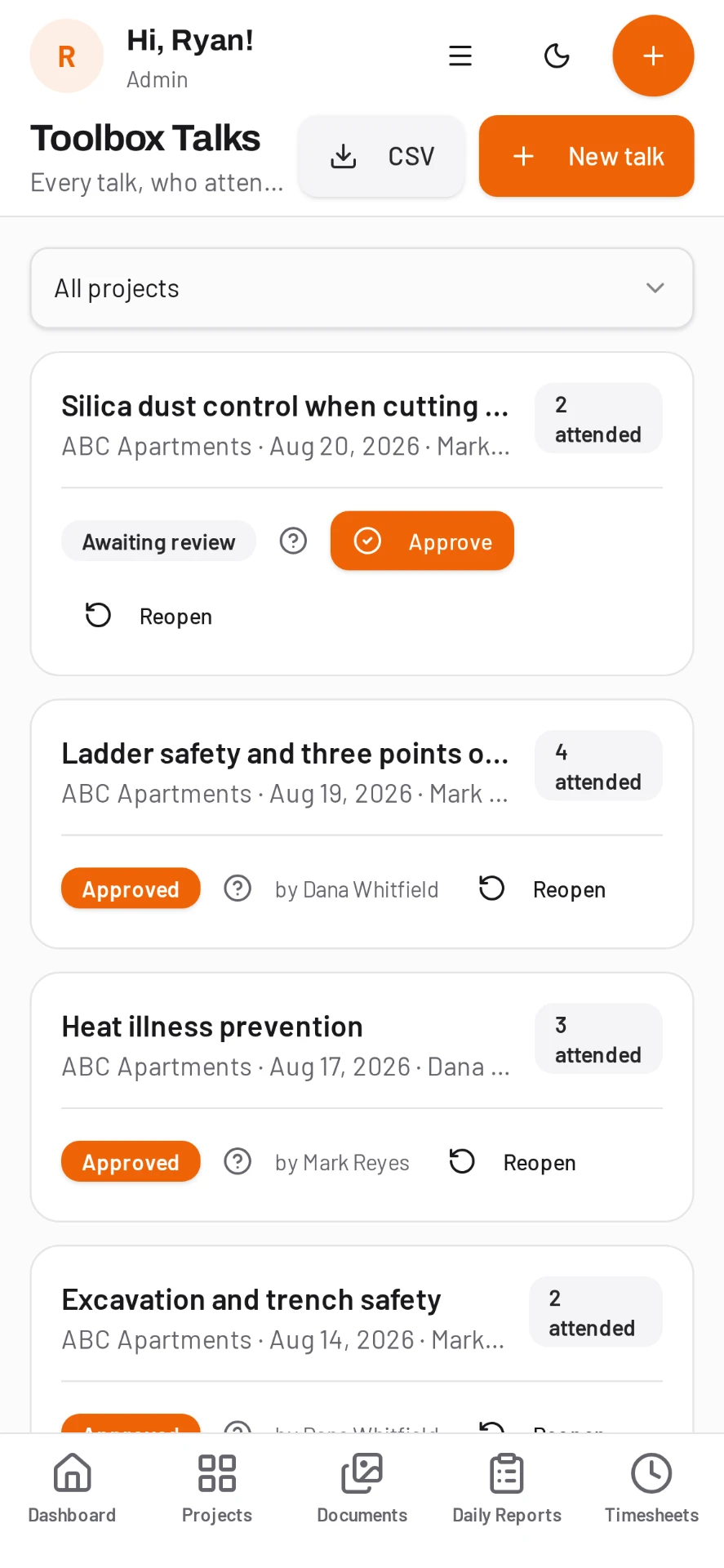
Toolbox talks and inspections your foreman can run from the tailgate
Pick the talk, gather the crew, capture the sign-in sheet as a photo. Run a scored inspection and any failed item can become a punchlist item with the photo already attached.
- Toolbox talk library with sign-in capture
- Scored safety inspections with pass and fail items
- Job hazard analyses with hazards, controls and PPE
- OSHA style incident log with corrective actions

Close it out
Punchlist with before and after photos, assigned to the sub
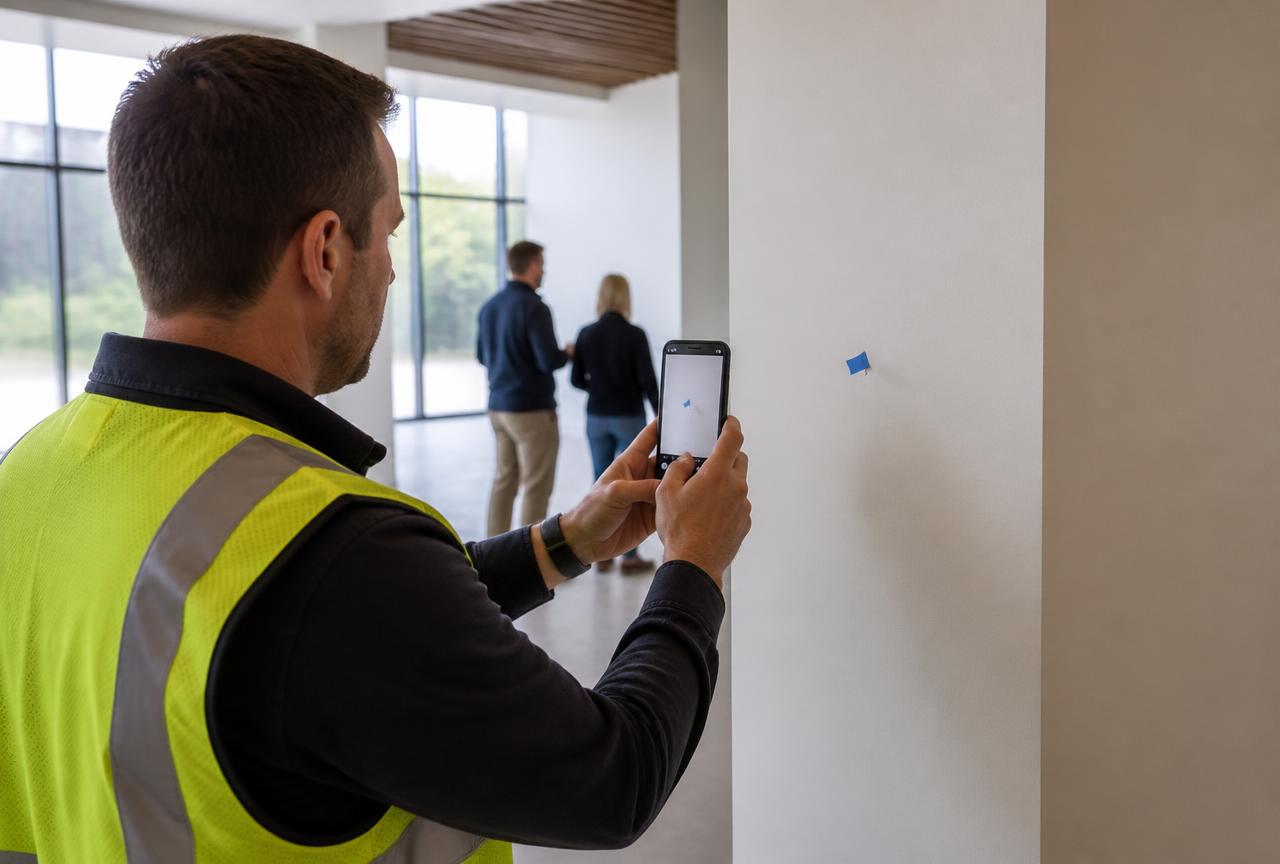
Walk the space, photograph the defect, assign it and set a date. The sub sees it, fixes it, uploads the after photo, and you verify with a tap. Export the whole list as a branded PDF or Excel.
- Before and after photos on every item
- Assign to subcontractors with due dates
- Verification sign-off so nothing closes itself
- Branded PDF and Excel exports for the owner
"My foremen were done with reports in five minutes on day one. No training, no push back, and I stopped chasing paperwork on Sunday nights."
Simple pricing
Per active project. Unlimited users on every plan, so your whole crew, your PMs and your inspectors are all included at no extra cost.
Common questions
Will my foremen actually use it?
That is the whole design goal. The report opens on the right day with weather filled in, hours carry over from timesheets, and submitting is one signature. Most crews are running it without any training.
Do I pay for every crew member?
No. DailyBuild is priced per active project with unlimited users, so the whole crew, your office staff and your clients can all have accounts at no extra cost.
Does it work where there is no signal?
Yes. Entries are captured offline and sync automatically once the device is back on a network.
Can I get my reports out if I ever leave?
Every report, timesheet, inspection and punchlist can be exported as a branded PDF or Excel file at any time.
Put your next job on DailyBuild today
Set up a project in a couple of minutes, invite the whole crew for free, and have your first report filed before the end of the shift.
14-day free trial · No credit card required to start · Cancel anytime