

Free Submittal Log Generator - Build a Submittal Log from Your Specs in Seconds
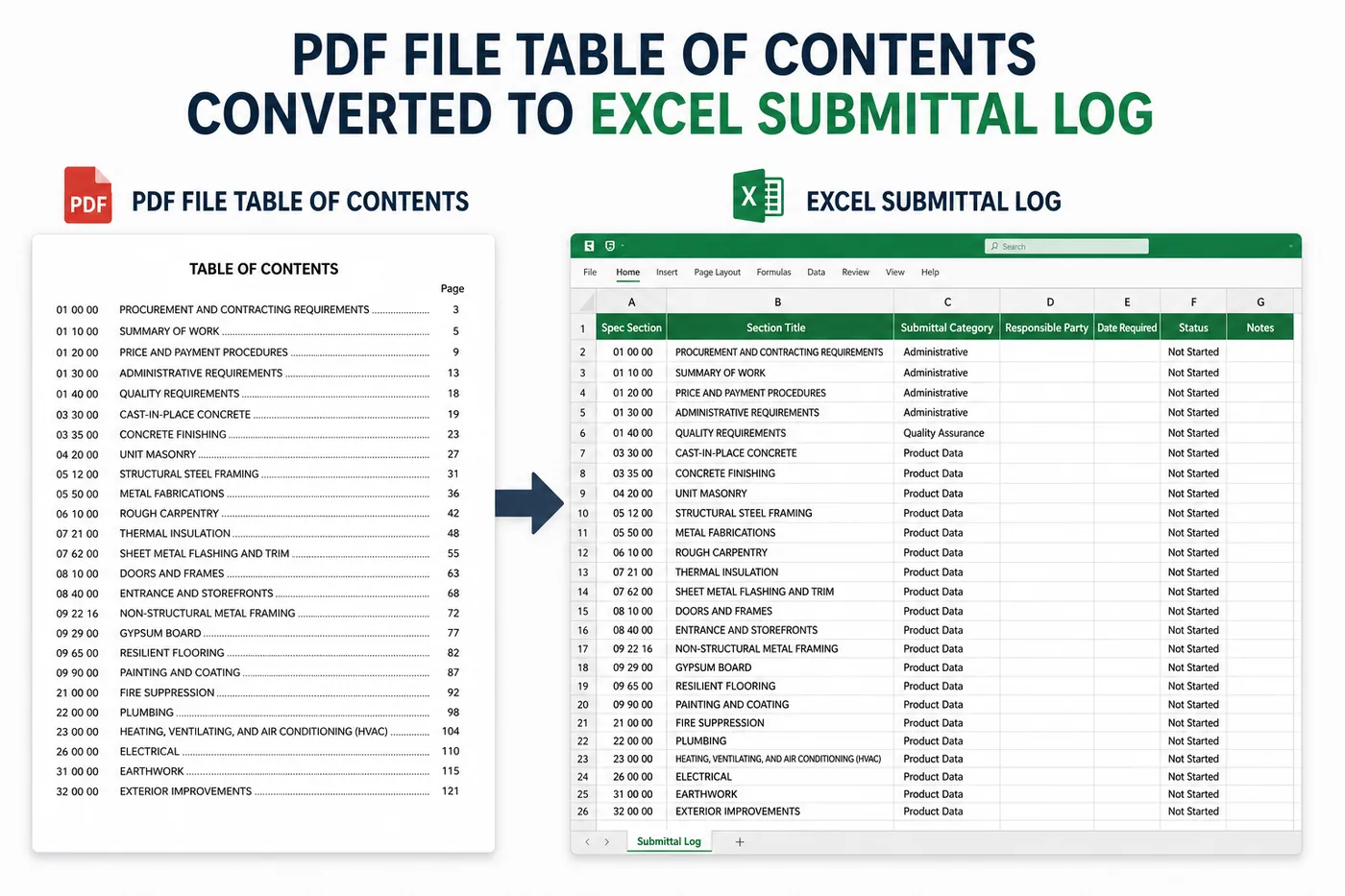
1) Upload your Table of Contents PDF from your specifications. 2) Instantly receive a formatted Excel submittal log Every CSI section number and title is pulled automatically. No signup, no watermark, no email.
Bookmark this tool so you can find it quickly later. Press- press Ctrl + D
How it works
Four steps from PDF spec book to a starter submittal log you can actually use on the job.
- 1
Export your spec Table of Contents as a PDF
Open your project specifications and save just the Table of Contents pages as a separate PDF file. Do not upload the entire spec book.
- 2
Make sure the text is selectable
If your TOC is a scanned image, run it through a free OCR tool first so the section numbers and titles are readable text, not pixels.
- 3
Upload the PDF to the generator
Drop the PDF into the tool above. We extract every CSI section number and description automatically - no manual typing.
- 4
Download your formatted Excel submittal log
Get a clean, formatted Excel file with submittal numbers and descriptions. Paste into your submittal tracker or use as your starting log.
What you get
Built for general contractors, subs, project engineers, and PM coordinators starting a new job.
Auto-extracted CSI sections
Pulls every section number and title straight from your spec TOC - no manual typing.
Pre-formatted Excel
Clean .xlsx with headers, borders, and styles. Paste straight into your submittal tracker.
Instant download
Get your file in seconds - no signup, no email, no watermark, no upsell.
Private by default
We process your TOC to extract text. We don't store, share, or sell your specifications.
Get all 30 construction templates
Editable Excel files plus the paper-to-app checklist. Enter your email for the complete construction bundle.
Related free resources
Frequently asked questions
Tracking submittals, RFIs, and daily reports?
DailyBuild replaces spreadsheets with one connected app - built for the field. Unlimited users, flat price.