

Google Drive
For teams working in Google Workspace
- 01Open Profile, then Storage, and connect your account.
- 02Open a DailyBuild project and link the folder that job uses.
- 03Let the crew open, sync and mark up the current PDFs.
Connect Google Drive or Microsoft SharePoint for project files, and QuickBooks Online for approved hours, receipts and mileage.
Google Drive Microsoft SharePoint
 QuickBooks Online
14-day free trial · No credit card required to start · Cancel anytime
Three connections, one workflow
Available to every DailyBuild customer with no integration add-on.
For teams working in Google Workspace
For teams working in Microsoft 365
Approved hours, receipts and mileage
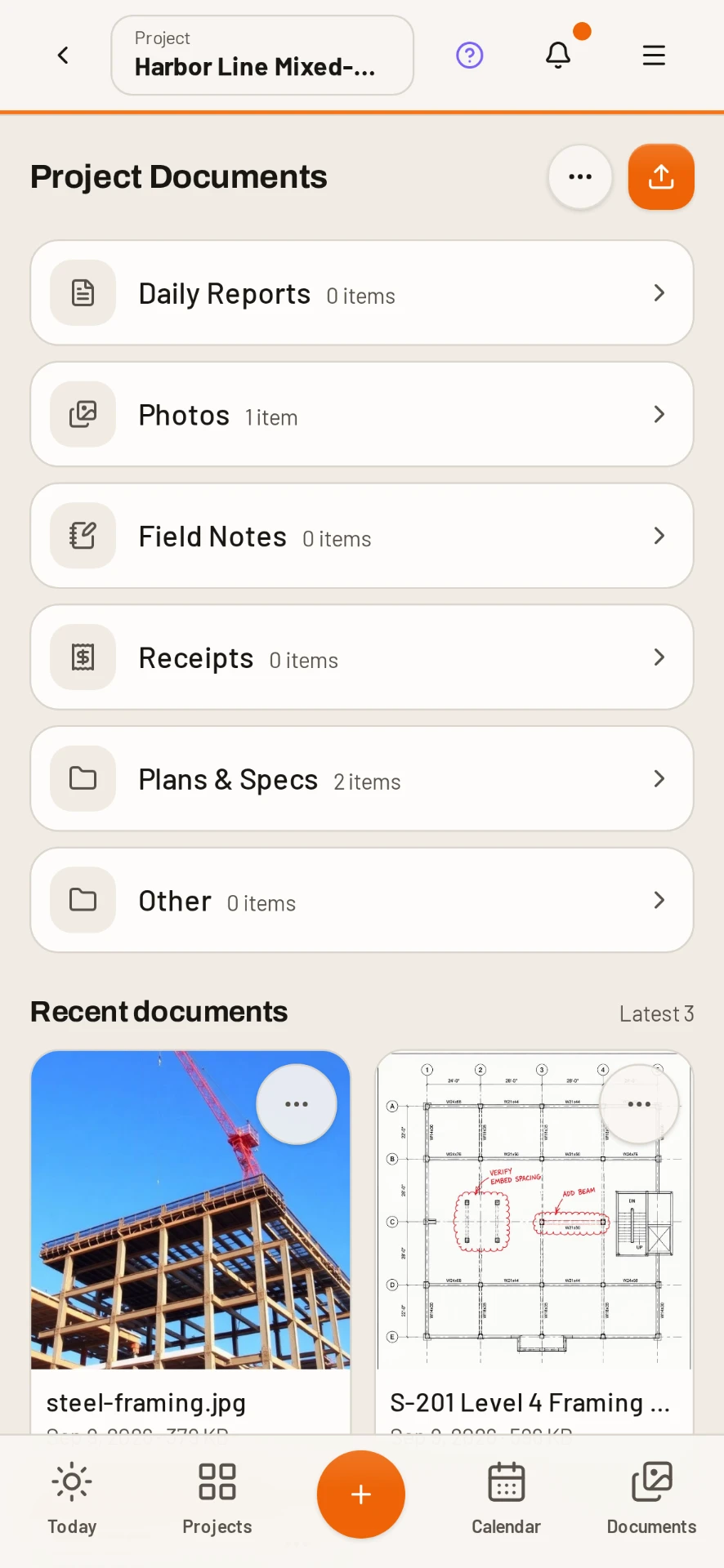
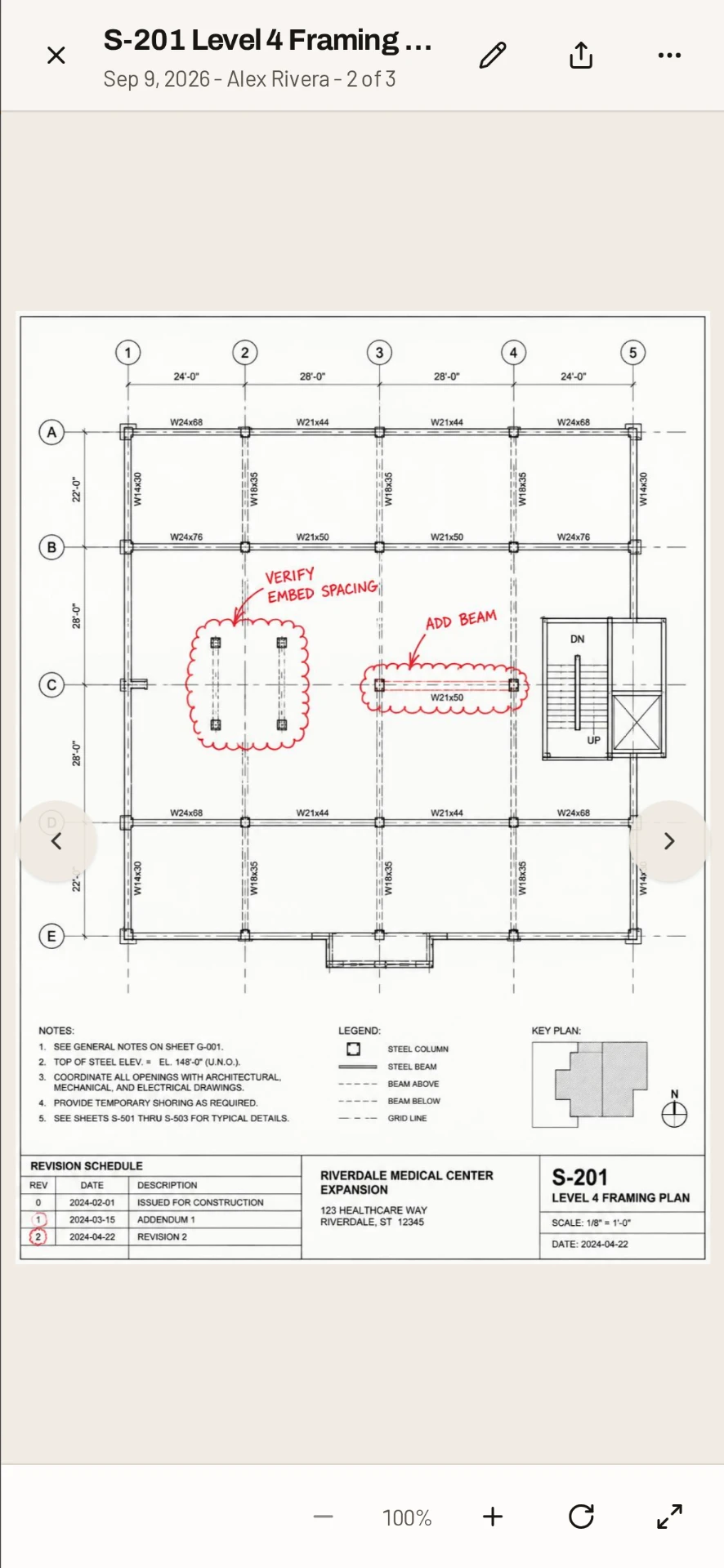
The current set, on site
Linked folders sync every few hours, again when the project is opened, and whenever someone taps Sync now.
Safe markup handoff
The office and field stay on the same source file. If the cloud copy changed while you were working, DailyBuild saves your markup as a separate copy instead of overwriting someone else's work.
Daily AI included
Daily AI indexes synced cloud PDFs automatically. Ask a question and get an answer with the source document and page, just like a file uploaded directly to DailyBuild.
Explore Daily AI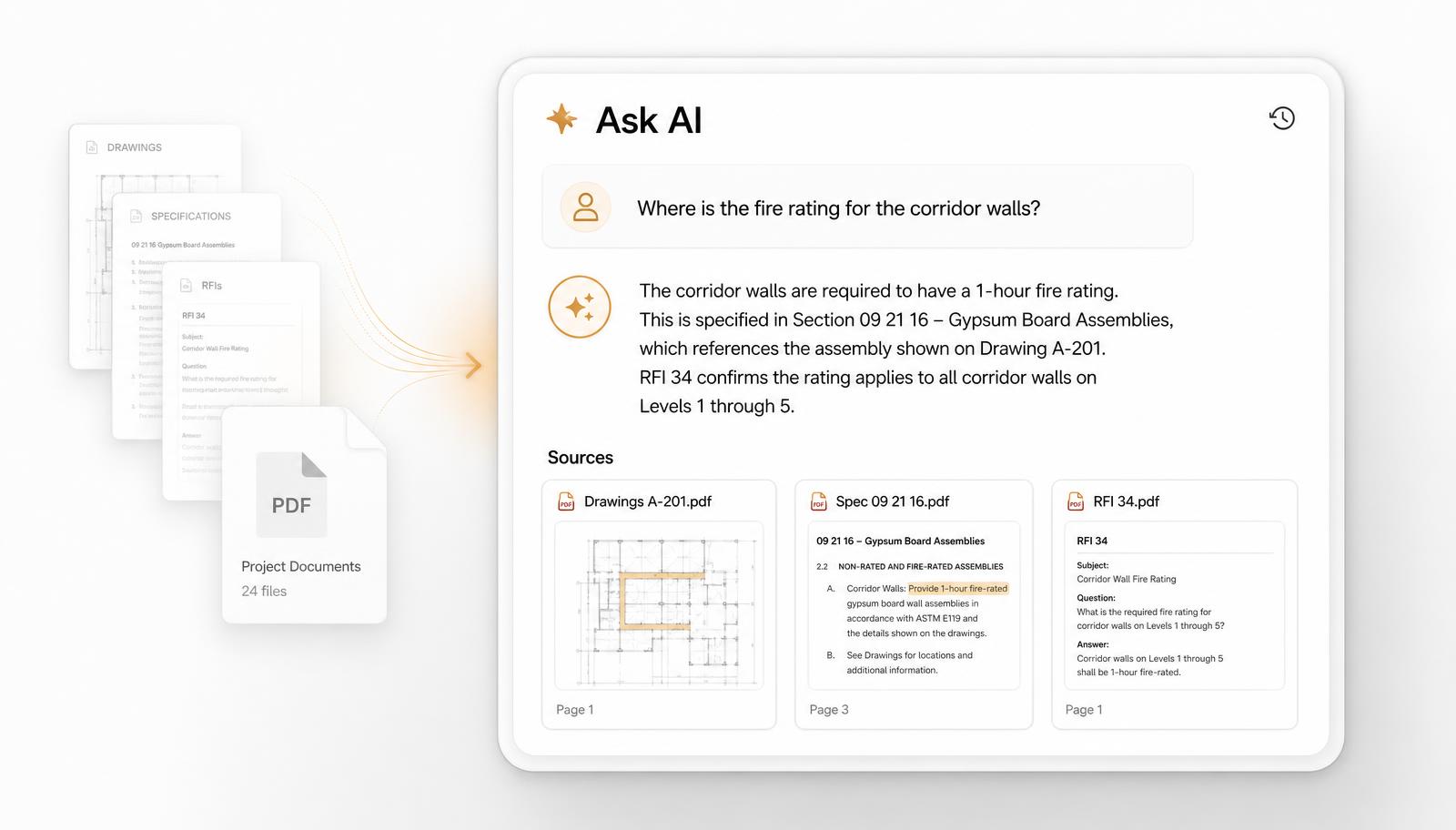
Designed for real jobsite conditions
Tap Sync now whenever you need an immediate folder refresh.
Cloud files show Needs connection when the device is offline.
A deleted cloud file shows Removed in cloud instead of silently disappearing.
Yes. An admin connects QuickBooks Online and maps projects, workers and cost codes. Approved timesheets, receipts and mileage then sync, and each item shows its status with a retry option. DailyBuild does not run payroll.
Google Drive and Microsoft SharePoint. Connect your own account under Profile, then Storage.
Open the project, go to Documents and link the cloud folder you want that job to use.
On a schedule every few hours, when you open the project, and any time you tap Sync now.
The markup saves back over the original cloud file as a new version. If the cloud copy changed since you opened it, the markup is saved as a separate copy so nobody's work is overwritten.
It shows a Removed in cloud badge in the project instead of disappearing, so the change is visible.
Yes. Synced cloud PDFs are indexed for Daily AI automatically, with answers that cite the source document and page.
No. QuickBooks and storage connections are included on every plan, and every plan includes unlimited users.
Connect your storage, link a project folder and give everyone one reliable place to work. Included on every plan.
14-day free trial · No credit card required to start · Cancel anytime


Quick answer
Yes. DailyBuild connects to your own Google Drive or Microsoft SharePoint account and links cloud folders directly to construction projects.
Folders sync every few hours, when a project opens, and on demand. PDF markups save back as a new version, while synced PDFs are automatically indexed for Daily AI.
| What it is | Construction field management software (daily reports, timesheets, photos, tasks, documents) |
|---|---|
| Pricing model | Per active project, not per user |
| Plans | Starter $49/mo (1 project), Team $149/mo (5), Pro $249/mo (15), Business $399/mo (30) |
| Users included | Unlimited on every plan |
| Free trial | 14 days, every feature included |
| Platforms | Native iOS and Android apps, plus any desktop web browser |
| Best for | General contractors and subcontractors running 1 to 30 active jobs who want the daily report done before leaving site |
Full plan details on the pricing page.