

The construction timesheet app that logs the whole crew in one screen.
Foremen do not want a time clock per person. DailyBuild puts the day's crew on a single phone screen, tags every line with a cost code, and hands payroll a clean week.
- Native iPhone, iPad, and Android apps
- Whole crew on one screen, same hours in one tap
- Regular and overtime with cost codes per line
- Week view exports to Excel for payroll
14-day free trial · No credit card required to start · Cancel anytime
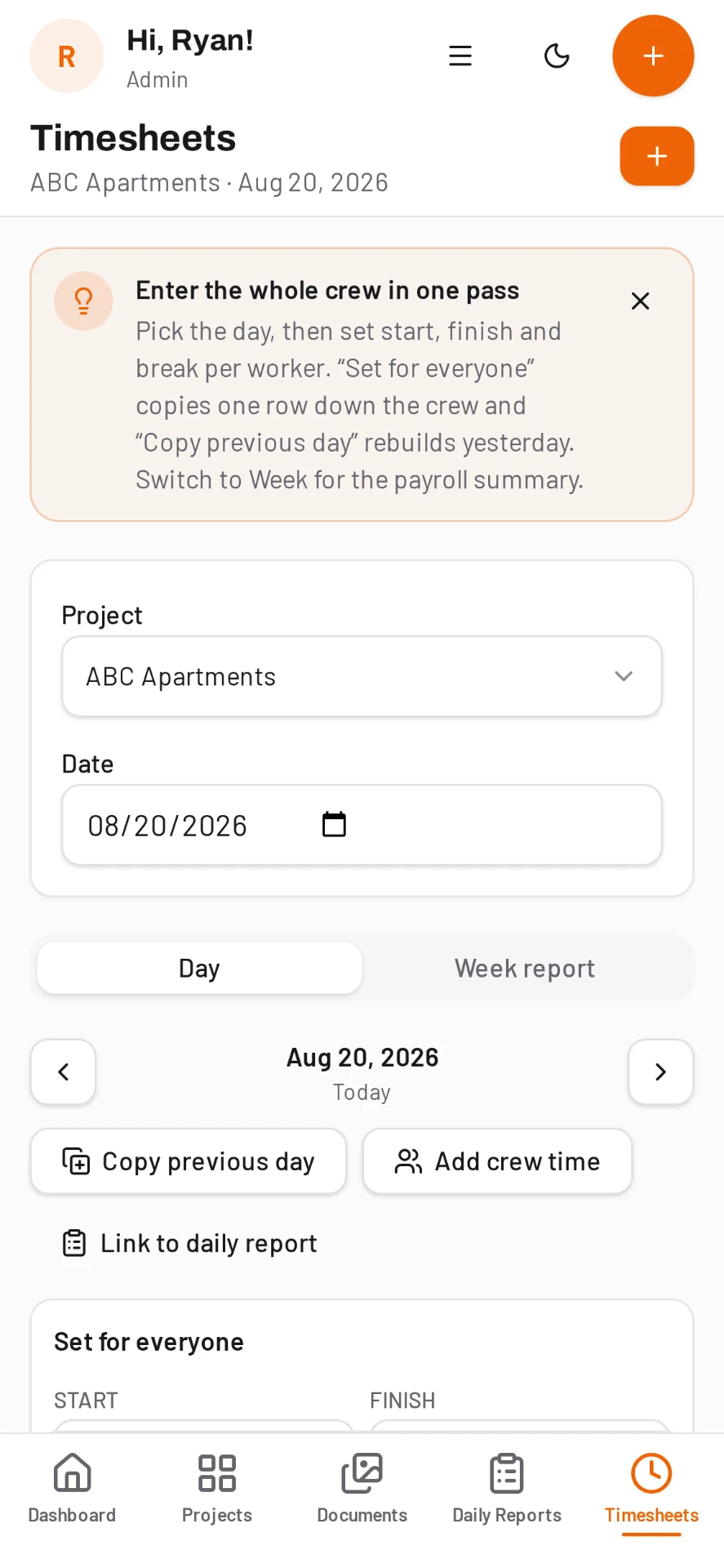
Day-first entry instead of punch clocks
Pick the day, pick the crew, enter hours. Set the same hours for everyone and adjust the exceptions, or copy yesterday when the schedule repeats.
- Regular and overtime hours
- Cost code on every line
- Reusable crews and worker roster
- Subcontractor hours alongside your own
- Notes on individual entries
- Offline entry that syncs when signal returns
Approvals before payroll runs
The week view rolls hours up per worker and per project so a super or PM can review and correct before payroll, instead of chasing paper tickets out of truck doors on Monday morning.
Hours land in the daily report automatically
Timesheets and daily reports share the same project, so labor entered for the day flows into the report rather than being typed twice. Labor by cost code is available for job costing the same day.
Free for every user on the job
Time tracking apps usually charge per seat, which punishes you for adding the crew. DailyBuild charges per active project starting at $49 per month, with unlimited users on every plan.
Common questions
Is there a construction timesheet app for iPhone and Android?
Yes. DailyBuild has native apps for iPhone, iPad, and Android, available from the Apple App Store and Google Play. The same account also works in the full web app.
Can a foreman enter time for the whole crew?
Yes. Entry is day-first, so the full crew appears on one screen and you can set the same hours for everyone in a single tap.
Does it track cost codes?
Yes. Import your cost code list and tag each timesheet line, then export labor by cost code to Excel for job costing.
Can I export timesheets to payroll?
Yes. The week view exports to Excel, which imports into standard payroll systems.
What does the timesheet app cost?
Plans start at $49 per month for one active project and include unlimited users and every feature, with a 14-day free trial.
Try it on your next job
Set up a project in a few minutes and put your whole crew on it for free.
14-day free trial · No credit card required to start · Cancel anytime
Quick answer
What is the best construction timesheet app for crews?
DailyBuild is a construction timesheet app built for whole-crew entry: one screen lists every worker on the project, hours and cost codes are tagged per line, and the week is approved and exported to payroll without chasing paper cards.
Timesheets sit alongside daily reports, photos, tasks and safety in the same app. Pricing is per active project - $49/month for 1 up to $399/month for 30 - with unlimited users on every plan and a 14-day free trial.
| What it is | Construction field management software (daily reports, timesheets, photos, tasks, documents) |
|---|---|
| Pricing model | Per active project, not per user |
| Plans | Starter $49/mo (1 project), Team $149/mo (5), Pro $249/mo (15), Business $399/mo (30) |
| Users included | Unlimited on every plan |
| Free trial | 14 days, every feature included |
| Platforms | Native iOS and Android apps, plus any desktop web browser |
| Best for | General contractors and subcontractors running 1 to 30 active jobs who want the daily report done before leaving site |
Full plan details on the pricing page.