

Pre-task plans signed by the crew doing the work.
Break the task into steps, name the hazards, list the controls and the PPE, then have the crew sign that they were briefed. Two minutes before the work starts.
- Steps, hazards, controls and PPE
- Crew sign-off on the phone
- Reusable JHAs for repeat tasks
- Safe and at-risk observations from anyone
14-day free trial · No credit card required to start · Cancel anytime
Written the way the work happens
Steps in order, hazard per step, control per hazard. The form pushes for the specific control rather than a generic warning, which is what makes a JHA useful in the field.
- Task steps in sequence
- Hazard and control per step
- Required PPE list
- Crew briefing sign-off
- Photos of the work area
- Reuse a previous JHA in one tap
Observations from everyone on site
Anyone can log a safe or at-risk observation with a photo. It takes seconds, and the pattern of at-risk observations is the earliest warning you will get about a job going wrong.
Everything lands in the safety hub
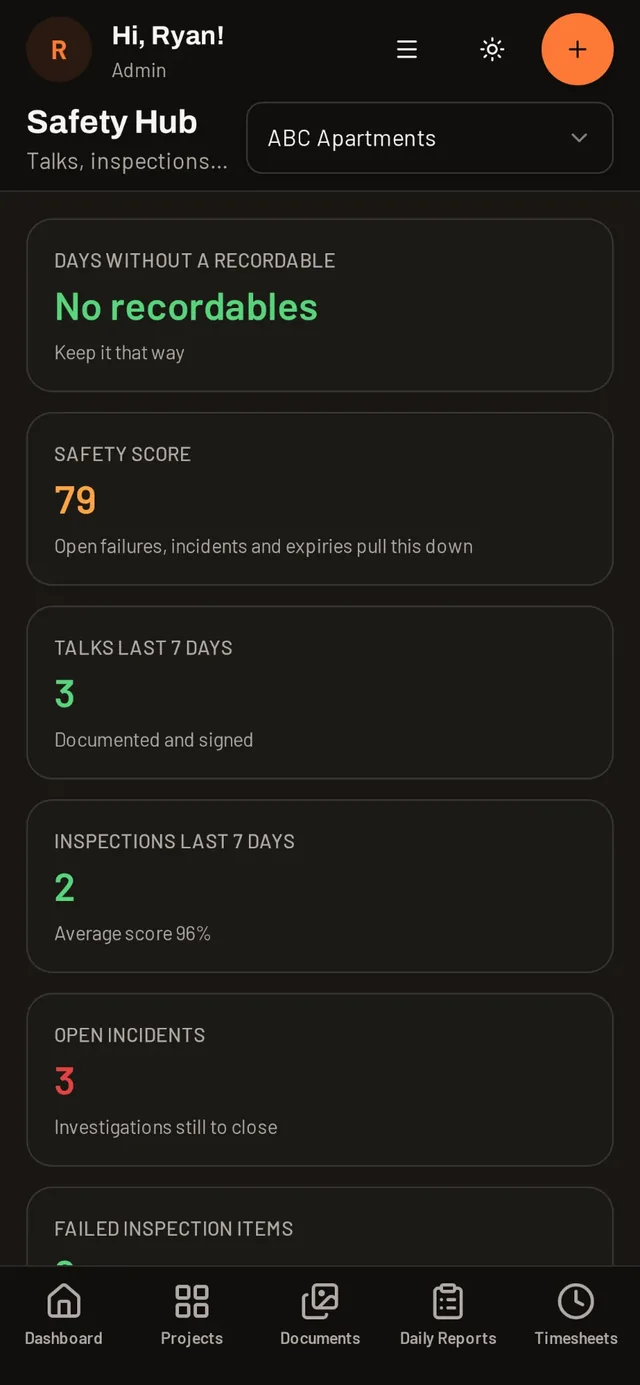
JHAs, observations, inspections, toolbox talks, incidents and certifications share one hub, with a safety score and days without a recordable per project.
Daily AI can draft the analysis
Type the task and Daily AI drafts the steps, hazards and controls from your own safety documents, so you edit a draft instead of starting from a blank form.
Common questions
Is a JSA the same as a JHA in DailyBuild?
Yes. Job safety analysis, job hazard analysis and pre-task plan all use the same record type here.
Can the crew sign the JHA on a phone?
Yes. Each crew member signs on screen and the signatures are stored with the record.
Can I reuse a JHA for a repeat task?
Yes. Save it once and start the next one from it, then adjust for the site conditions.
Who can log a safety observation?
Anyone you invite to the project. Every user is free.
Try it on your next job
Set up a project in a few minutes and put your whole crew on it for free.
14-day free trial · No credit card required to start · Cancel anytime
Quick answer
What is a job hazard analysis and how is it recorded?
A job hazard analysis, sometimes called a JSA or pre-task plan, breaks a task into steps, identifies the hazard in each step and states the control that removes or reduces it, along with the PPE required.
DailyBuild records that analysis on the project and date, collects crew signatures on the phone, and keeps the JHA available to reuse the next time the same task comes up.
| What it is | Construction field management software (daily reports, timesheets, photos, tasks, documents) |
|---|---|
| Pricing model | Per active project, not per user |
| Plans | Starter $49/mo (1 project), Team $149/mo (5), Pro $249/mo (15), Business $399/mo (30) |
| Users included | Unlimited on every plan |
| Free trial | 14 days, every feature included |
| Platforms | Native iOS and Android apps, plus any desktop web browser |
| Best for | General contractors and subcontractors running 1 to 30 active jobs who want the daily report done before leaving site |
Full plan details on the pricing page.