

A punch list that actually closes out.
Open items live on the phone with the photo that proves the problem and the photo that proves the fix. Nothing gets closed until someone verifies it.
- Before and after photos on every item
- Responsible sub, priority and due date
- Verify step before an item can close
- Branded PDF punch list for the owner
14-day free trial · No credit card required to start · Cancel anytime
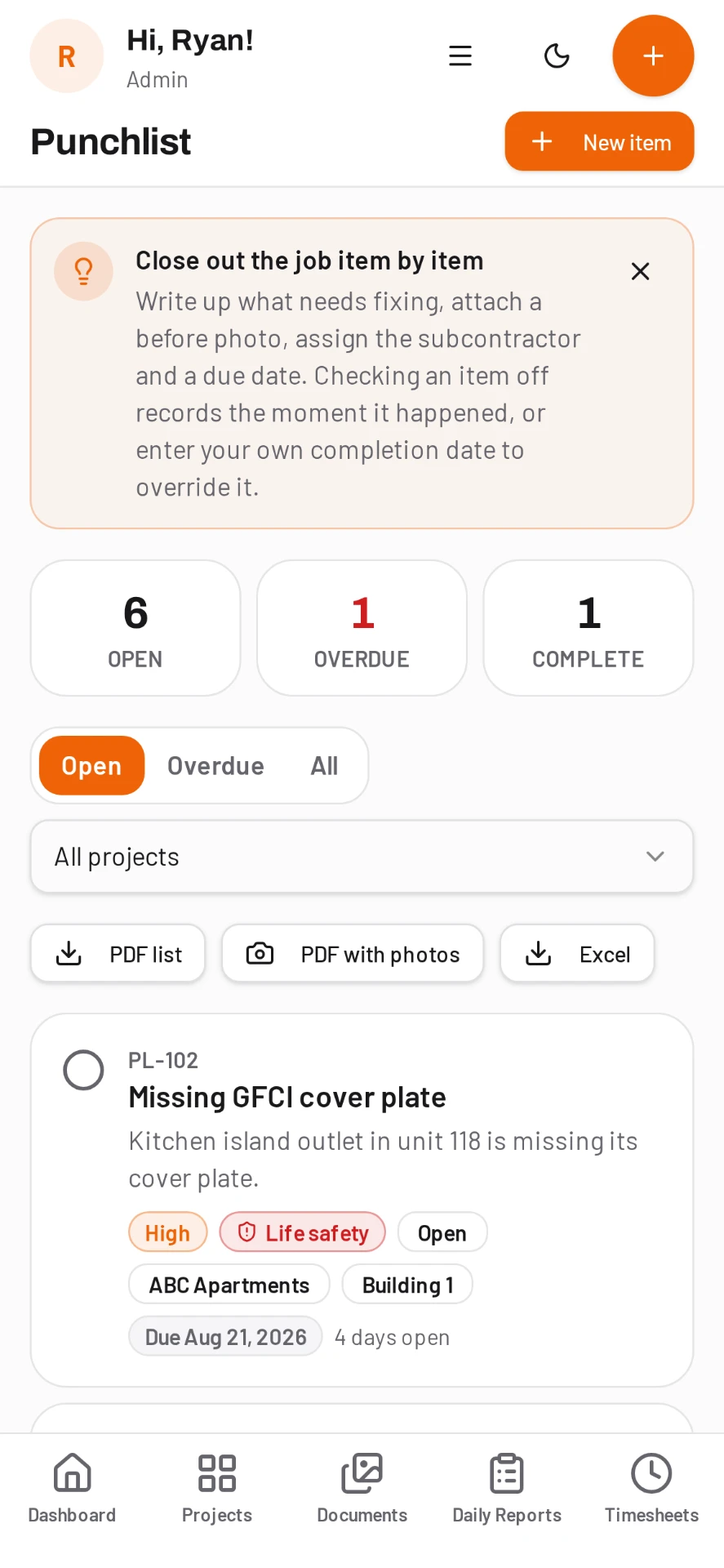
One list for tasks and punch items
Foremen do not keep two lists. DailyBuild keeps tasks and punch items in one place per project, filtered by status, priority or who owns them.
- Assign to a worker or a subcontractor
- Priority and due date on every item
- Location or area tag
- Comments and photo threads per item
- Due items mirrored on the calendar
- Offline entry that syncs later
Photos are the record
Snap the defect when you find it and the fix when it is done. The pair stays on the item, so the argument about whether it was handled ends before it starts.
Failed inspections become punch items
When a safety inspection item scores a fail, it can be pushed straight to the punch list with the photo attached, so corrective work is tracked in the same place as everything else.
Closeout in one export
Export the open or full list as a branded PDF for the owner, the GC or your own closeout binder. Filter by sub first if you only want their items.
Common questions
Can subcontractors see only their punch items?
Yes. Items are assigned to the responsible party and the list can be filtered per sub, and every seat is free so you can invite them all.
Can I export the punch list as a PDF?
Yes. The punch list exports as a branded PDF with photos, responsible party, priority and status.
Does it work without signal?
Yes. Items and photos save on the device and sync as soon as you are back in coverage.
How much does it cost?
Punch list is included on every plan. Pricing is per active project with unlimited users, starting at $49 a month.
Try it on your next job
Set up a project in a few minutes and put your whole crew on it for free.
14-day free trial · No credit card required to start · Cancel anytime
Quick answer
What is a construction punch list app?
A construction punch list app records the remaining or defective work on a project, assigns it to the responsible party with a due date, and tracks it through to a verified fix.
In DailyBuild, punch items and everyday tasks share one list per project, so the same screen the foreman uses for follow-ups is the one you export as a closeout document.
| What it is | Construction field management software (daily reports, timesheets, photos, tasks, documents) |
|---|---|
| Pricing model | Per active project, not per user |
| Plans | Starter $49/mo (1 project), Team $149/mo (5), Pro $249/mo (15), Business $399/mo (30) |
| Users included | Unlimited on every plan |
| Free trial | 14 days, every feature included |
| Platforms | Native iOS and Android apps, plus any desktop web browser |
| Best for | General contractors and subcontractors running 1 to 30 active jobs who want the daily report done before leaving site |
Full plan details on the pricing page.