

DailyBuild Construction Daily Reports App
    Free Excel Template · No signup

    Free Construction Delay Log Template for Excel

    Track delays, weather impacts, schedule disruptions, RFIs, labor shortages, and potential claims in one professional contractor-ready Excel workbook.

    Download Free Excel Template
    Track delays

    14-day free trial. No credit card required

    Preview Template

    Used by contractors to defend millions in delay claims.

    • Free Download
    • No Credit Card Required
    • Built by Contractors
    • Used by Construction Professionals
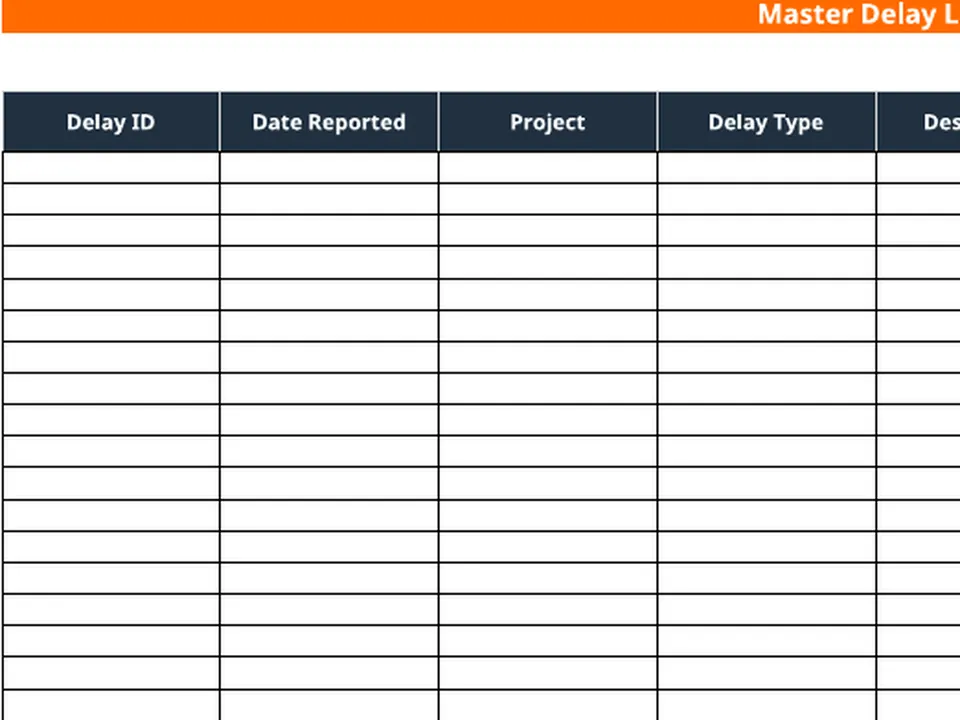
    Free construction delay log Excel template preview - schedule impact tracker with activity, original and revised dates, days delayed, critical path, responsible party, and recovery plan
    DailyBuild_Free_Construction_Delay_Log_Template.xlsx
    Download
    Free bundle

    Get all 30 construction templates

    Editable Excel files plus the paper-to-app checklist. Enter your email for the complete construction bundle.

    Instant download | One email list | Unsubscribe anytime

    What this template tracks

    Five tabs. Every delay contractors need to defend.

    Delay Documentation

    Document every delay event with dates, impacts, and responsible parties on one master log.

    Weather Delays

    Track rain days, wind events, temperature, shutdowns, and hours of production lost.

    Schedule Impacts

    Monitor original vs. revised dates, days delayed, and critical path impacts per activity.

    Cost Impacts

    Estimate delay costs and financial exposure across labor, equipment, and overhead.

    Claims Tracking

    Document claim-ready information for time extensions, cost requests, and approved days.

    Dashboard Reporting

    Live tiles for total, open, critical, and weather delays plus a delay-types pie chart.

    Master Delay Log

    Delay type, description, responsible party, days impacted, cost impact, and status in one row.

    Critical Path Visibility

    Flag critical-path delays so PMs see schedule-killing items before they compound.

    Recovery Planning

    Capture recovery plans and acceleration requirements alongside every schedule slip.

    What's included

    Everything you need to document construction delays.

    Built from real delay workflows used by GCs, subs, and owners. Defensible documentation, claim-ready output, nothing extra.

    Master Delay Log

    Delay type, description, responsible party, days impacted, cost impact, and status in a single row.

    Weather Delay Log

    Rain days, wind events, temperature, and hours lost - the foundation of every weather claim.

    Schedule Impact Tracker

    Original and revised start/finish, days delayed, critical path, responsible party, recovery plan.

    Claims Tracker

    Time extensions requested, cost requests, approved days, and current claim status.

    Live Dashboard

    Total delays, open delays, critical delays, weather delays, and total lost days at a glance.

    Delay-Type Analytics

    Counts and pie chart by Weather, Material, Labor, RFI, and Inspection delay categories.

    Cost Impact Estimation

    Capture financial exposure per delay event for owner reporting and claim support.

    Critical Path Flags

    Mark each activity as critical-path or non-critical so PMs prioritize correctly.

    Time Extension Requests

    Log requested days, approved days, and the disposition of every extension.

    Auto-Calculated Totals

    Days delayed and dashboard counts roll up automatically from the log.

    Print & PDF Ready

    Formatted for clean PDF export, owner reporting, and printed claim packages.

    100% Free

    No subscription, no email, no credit card required.

    Why delay documentation matters

    One missing delay can cost thousands.

    Many contractors lose legitimate claims because they fail to properly document the daily delays that destroy their schedule. A construction delay log is the contemporaneous record that turns a memory into evidence - and evidence into approved time extensions, approved cost requests, and protected margin.

    Weather impacts

    A defensible weather delay claim requires more than "it rained a lot." It requires dated rain days, hours of production lost, activities affected, and the link from that weather to the critical path. A disciplined weather delay log template creates exactly that record, day by day, project by project.

    Material shortages

    When deliveries arrive late, the cost is rarely just the missed day - it's resequenced crews, idle equipment, and downstream activities that slip with it. Logging the supplier, the expected date, the actual date, and the affected activity converts a frustrating phone call into a documented impact event.

    Inspection and RFI delays

    Owner-side delays are some of the most recoverable - and most under-documented. Every inspection that was missed, rescheduled, or failed should hit the log, alongside every RFI that aged past its expected turnaround. These become the spine of any legitimate time extension request.

    Owner-caused delays

    Late drawings, design changes, scope additions, and utility conflicts are routine owner impacts. A contemporaneous contractor delay log with responsible-party assignment is what separates a contractor who gets paid for owner delays from one who eats them.

    Defensible project records

    The contractor with clean, dated delay documentation wins disputes. The contractor relying on text messages and superintendent memory loses them. A consistent project delay spreadsheet is the cheapest insurance policy on any construction project.


    How to use the template

    Log a complete delay event in 2 minutes.

    1. 01

      Enter project information

      Add project name, number, superintendent, and reporting period in the header so every page is properly attributed.

    2. 02

      Add the delay to the Master Log

      Capture delay date, type (Weather, Material, Labor, RFI, Inspection), description, and responsible party.

    3. 03

      Quantify days impacted and cost impact

      Enter days impacted and estimated cost exposure. Critical-path flags drive dashboard counts.

    4. 04

      Log weather delays separately

      Use the Weather Delay tab to log rain days, wind events, temperature, and hours lost - the supporting detail behind weather claims.

    5. 05

      Update the Schedule Impact Tracker

      Log original vs. revised start/finish dates per affected activity, flag critical path, and note recovery plans.

    6. 06

      File a time extension request

      Add the extension request to the Claims Tracker with requested days, cost request, and current status.

    7. 07

      Review the Dashboard

      Check total delays, open delays, critical delays, weather delays, and total lost days for stakeholder reporting.

    8. 08

      Export and share

      Save the workbook, export to PDF, and email the log to your owner, scheduler, or accounting team.

    Why contractors love this template

    The difference real delay documentation makes.

    Typical Free Delay Logs

    • Basic spreadsheet
    • No dashboard
    • No weather tracking
    • No claims tracking
    • No schedule impacts
    • No reporting

    DailyBuild Delay Log

    • Delay documentation
    • Weather delay tracking
    • Schedule impacts
    • Claims management
    • Cost tracking
    • Dashboard reporting
    • Critical path visibility
    • Project analytics

    Excel vs. DailyBuild

    Stop managing delays in spreadsheets.

    This free template is powerful. DailyBuild automates everything - delay tracking, weather, photos, daily reports, and PDF reporting from the field.

    CapabilityExcel TemplateDailyBuild Software
    Delay Tracking
    Weather Tracking
    Dashboard Reporting
    Schedule Impact Tracking
    Claims Tracking
    Photos on Delays
    Mobile Access
    Daily Reports
    Labor Tracking
    Equipment Tracking
    Tasks
    Document Management
    Automated Delay Reporting

    What changes when you switch

    • Weather fills itself in for every report
    • Crew hours flow straight into timesheets
    • One tap sends a branded, signed PDF
    Start Free Trial

    Ready to automate delay tracking?

    Inside DailyBuild

    Delay tracking in DailyBuild

    • Delays logged in the daily report
    • Each delay tracked by status
    • Photos and notes attached
    Start Free Trial

    No credit card required to start your trial

    Frequently asked

    Delay Log Template FAQs

    More free templates

    Available now

    Free Construction Daily Report Template

    Track labor, weather, deliveries, and delays on every jobsite.

    Open template
    Available now

    Free Construction Timesheet Template

    Track employee and crew hours across projects.

    Open template
    Available now

    Free Change Order Log Template

    Track every change order, status, and value.

    Open template
    Coming soon

    Free Equipment Log Template

    Monitor equipment usage, hours, and maintenance.

    Notify me
    Coming soon

    Free RFI Log Template

    Manage requests for information and turnaround time.

    Notify me
    Coming soon

    Free Submittal Log Template

    Track submittals from request to approval.

    Notify me
    Coming soon

    Free Punch List Template

    Close out projects with a clean punch list.

    Notify me
    Available now

    Free Construction Management Software

    See how DailyBuild replaces stacks of spreadsheets.

    Open template
    Free iPhone and Android apps

    Run these logs from your phone

    The DailyBuild app turns the same daily report, timesheet and punch list into something your crew fills out on site - photos, hours and signatures included, with branded PDFs sent automatically.

    Download DailyBuild on the App StoreGet DailyBuild on Google Play
    DailyBuild mobile app Today screen with today's report, time, photo and safety actions

    Protect Your Schedule. Protect Your Profit.

    Download the free Construction Delay Log Template today or automate everything with DailyBuild - delay tracking, weather, photos, daily reports, and PDF reporting from one place.
