

DailyBuild Construction Daily Reports App
    Free Excel Template · No signup

    Free Construction Submittal Log Template for Excel

    Stay organized, avoid missed approvals, and keep your project moving. Track every submittal from initial submission through final approval - review status, revisions, procurement, long-lead items, and due dates in one professional workbook.

    Download Free Excel Template
    Track submittals

    14-day free trial. No credit card required

    Preview Template

    Used by GCs and subs to manage thousands of submittals.

    • Free Download
    • No Credit Card Required
    • Built by Contractors
    • Used by Construction Professionals
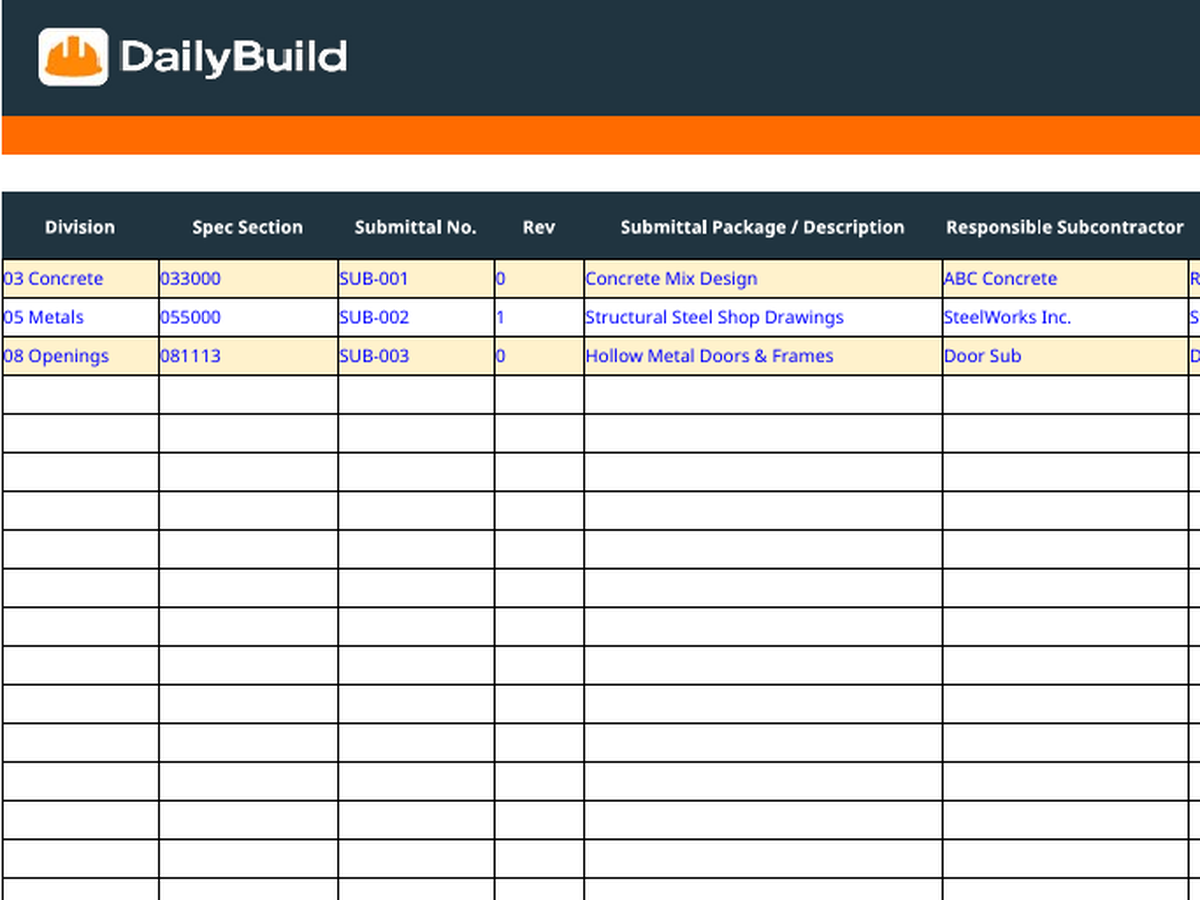
    Free construction submittal log Excel template preview - CSI division, spec section, submittal number, responsible sub, supplier, dates, review status, procurement, long lead item
    DailyBuild_Free_Submittal_Log_Template.xlsx
    Download
    Free bundle

    Get all 30 construction templates

    Editable Excel files plus the paper-to-app checklist. Enter your email for the complete construction bundle.

    Instant download | One email list | Unsubscribe anytime

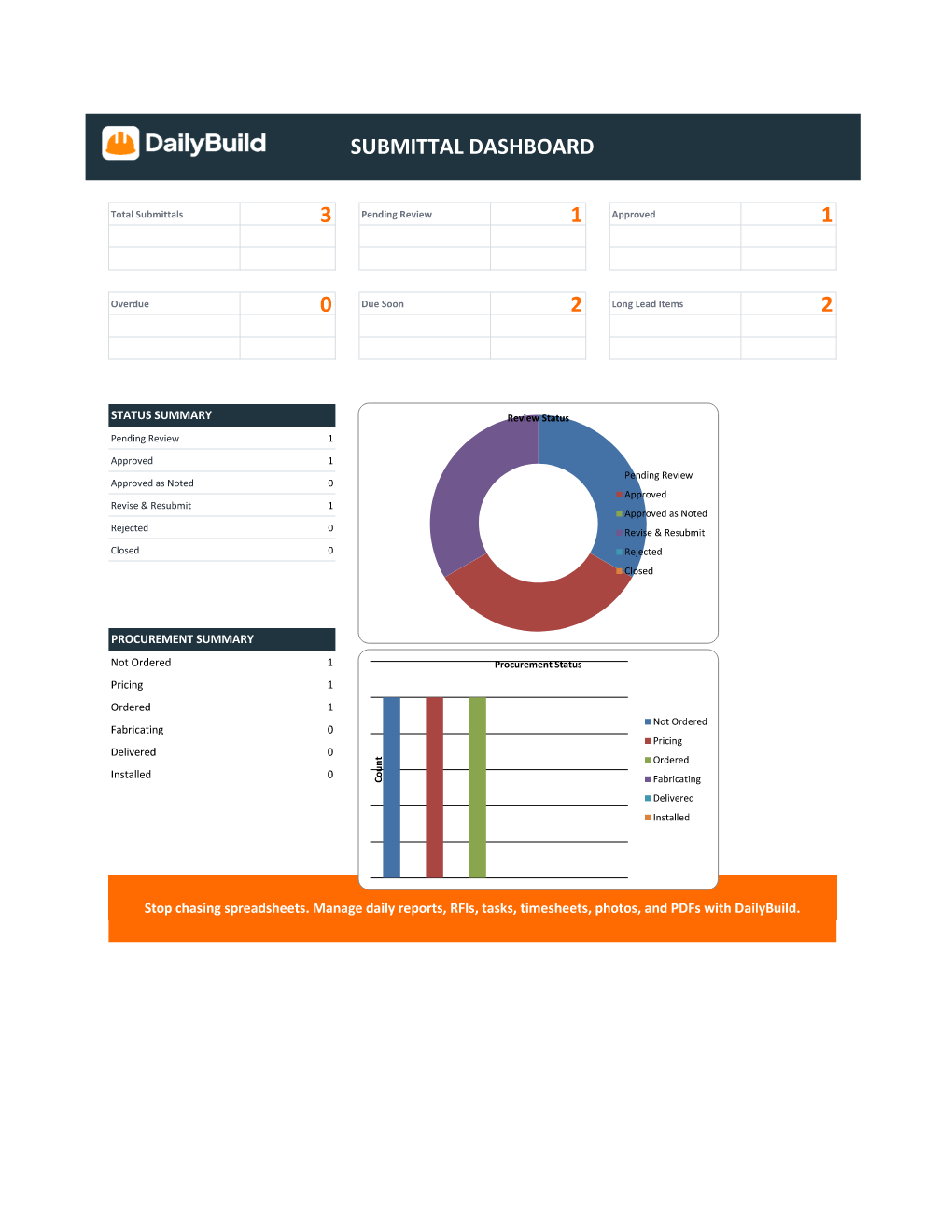
    Submittal log dashboard with total submittals, pending review, approved, overdue, due soon, long lead item tiles plus status and procurement summary charts

    Live Submittal Dashboard

    What's inside the template

    Every detail contractors track on every submittal.

    Project Setup

    Project name, number, client, and prepared-by populate the log and dashboard automatically.

    Submittal Log

    Single-row entries for every submittal across CSI division, spec section, package, and revision.

    Submittal Dashboard

    Live tiles for total, pending, approved, overdue, due soon, and long-lead items.

    Due Date Monitoring

    Auto-calculated days in review with Overdue and Due Soon flags driven from the required return date.

    Review Status Tracking

    Pending Review, Approved, Approved as Noted, Revise & Resubmit, Rejected, Closed - driven by validated dropdowns.

    Procurement Status

    Track Not Ordered, Pricing, Ordered, Fabricating, Delivered, and Installed in one column.

    Long-Lead Identification

    Flag long-lead items so procurement risk surfaces on the dashboard tile and chart.

    Built-In Dropdowns

    Status, procurement, long-lead, and reviewer fields use dropdowns so reporting stays clean.

    Status & Procurement Charts

    Donut chart for review status and bar chart for procurement status update automatically.

    What's included

    Everything you need to manage submittals.

    Designed around real construction workflows - automatic calculations, visual status indicators, and a project dashboard to surface overdue submittals and schedule risk.

    Project Setup Dashboard

    Project name, number, client, prepared-by, and company branding in one clean header.

    Professional Submittal Log

    CSI division, spec section, submittal number, revision, package description, responsible sub, and vendor on every row.

    Automatic Due Date Monitoring

    Days In Review and Due Status calculate automatically from the required return date.

    Overdue & Due Soon Alerts

    Visual flags surface aging submittals before they become schedule problems.

    Review Status Tracking

    Track Pending Review, Approved, Approved as Noted, Revise & Resubmit, Rejected, and Closed.

    Procurement Status Tracking

    Capture Not Ordered, Pricing, Ordered, Fabricating, Delivered, and Installed for every submittal.

    Long-Lead Item Identification

    Flag long-lead items and watch the dashboard tile and chart roll them up automatically.

    Built-In Dropdown Menus

    Status, procurement, long-lead, and reviewer fields use validated dropdowns.

    Automated Dashboard Metrics

    Total submittals, pending review, approved, overdue, due soon, and long-lead counts update live.

    Construction-Specific Formatting

    Built for contractors with clean status colors, headers, and print layout.

    Print & PDF Ready

    Formatted for clean PDF export, owner reporting, and printed submittal packages.

    100% Free

    No subscription, no email, no credit card required.

    Why submittal logs matter

    Why contractors track every submittal.

    A construction submittal log is the project's single source of truth for every shop drawing, product data sheet, sample, and mockup that flows between the contractor, the architect, and the engineer. The contractor with a clean submittal log catches long-lead items early, keeps approvals moving, and protects the schedule. The one without it discovers missing approvals the week installation was supposed to start.

    Prevent approval delays

    Submittals stuck in "Pending Review" for 30, 60, 90 days quietly destroy critical path. A log with auto-calculated Days in Review and Due Status surfaces aging submittals so PMs can chase reviewers before the issue becomes a schedule impact claim.

    Identify long-lead procurement risk

    The most expensive submittal mistake is discovering a long-lead item the week before installation. A disciplined long-lead item tracker exposes equipment, fixtures, and materials with eight, twelve, or twenty-week lead times early enough to submit, approve, and order without resequencing the entire project.

    Improve architect and engineer communication

    Sending the design team a weekly submittal log summary - total open, approved this week, aging beyond due, long-lead items pending - sets a tone of transparency. Reviewers stop asking "what's outstanding?" because the answer is already in their inbox.

    Reduce schedule impacts

    Every missed submittal approval is a schedule risk. A consistent submittal tracker template with required on-site dates and procurement status converts gut-feel about "where are we" into a hard dashboard contractors can manage from.

    Defensible project records

    When closeout begins and the owner wants documentation for every product installed in the building, the answer lives in the submittal log. Same for warranty disputes, defect claims, and any forensic question about what was actually approved and installed.


    How to use the template

    Log a complete submittal in 2 minutes.

    1. 01

      Customize Project Setup

      Enter project name, number, client, prepared-by, and company info on the Project Setup tab.

    2. 02

      Add a new submittal

      Enter CSI division, spec section, submittal number, revision, and a clear description of the package.

    3. 03

      Assign responsibility

      Capture the responsible subcontractor, vendor/supplier, and reviewer for every submittal.

    4. 04

      Log dates

      Enter date received from sub, date sent to reviewer, and required return date. Days in Review calculates automatically.

    5. 05

      Update Review Status

      Use the dropdown to track Pending Review, Approved, Approved as Noted, Revise & Resubmit, Rejected, or Closed.

    6. 06

      Update Procurement Status

      Track Not Ordered, Pricing, Ordered, Fabricating, Delivered, or Installed alongside approval status.

    7. 07

      Flag long-lead items

      Mark long-lead items Yes/No and enter the Needed On-Site date so procurement risk surfaces on the dashboard.

    8. 08

      Review the Dashboard

      Check total submittals, pending, approved, overdue, due soon, and long-lead counts plus the status and procurement charts.

    Why contractors love this template

    The difference a real submittal log makes.

    Typical Free Submittal Logs

    • Basic spreadsheet
    • No dashboard
    • No due date monitoring
    • No procurement tracking
    • No long-lead alerts
    • No reporting

    DailyBuild Submittal Log

    • Project setup dashboard
    • Automatic due date monitoring
    • Overdue and due soon alerts
    • Review status tracking
    • Procurement status tracking
    • Long-lead identification
    • Dashboard reporting
    • Construction-specific formatting

    Excel vs. DailyBuild

    When submittal tracking outgrows the spreadsheet.

    The template is perfect for one project and one PM. DailyBuild handles every project, every submittal, from the field.

    CapabilityExcel TemplateDailyBuild Software
    Submittal Log
    Review Status Tracking
    Procurement Status Tracking
    Overdue & Due Soon Alerts
    Long-Lead Identification
    Dashboard Reporting
    Photo Documentation
    Mobile Access
    Daily Reports
    RFIs
    Tasks
    Timesheets
    Project Documents
    Automated PDF Reports
    Searchable Historical Records

    What changes when you switch

    • Weather fills itself in for every report
    • Crew hours flow straight into timesheets
    • One tap sends a branded, signed PDF
    Start Free Trial

    Ready to automate submittal tracking?

    Inside DailyBuild

    Submittal tracking in DailyBuild

    • Every submittal tracked by status
    • Reviewers and due dates in one list
    • Files kept with the project
    Start Free Trial

    No credit card required to start your trial

    Frequently asked

    Submittal Log Template FAQs

    Free iPhone and Android apps

    Run these logs from your phone

    The DailyBuild app turns the same daily report, timesheet and punch list into something your crew fills out on site - photos, hours and signatures included, with branded PDFs sent automatically.

    Download DailyBuild on the App StoreGet DailyBuild on Google Play
    DailyBuild mobile app Today screen with today's report, time, photo and safety actions

    Stop Letting Submittals Slip Through the Cracks

    Download the free DailyBuild Construction Submittal Log Template today or upgrade to DailyBuild to automate submittals, daily reports, RFIs, tasks, photos, and PDF reporting from one place.
