The short answer
Free Tool and Equipment Checkout Log Template
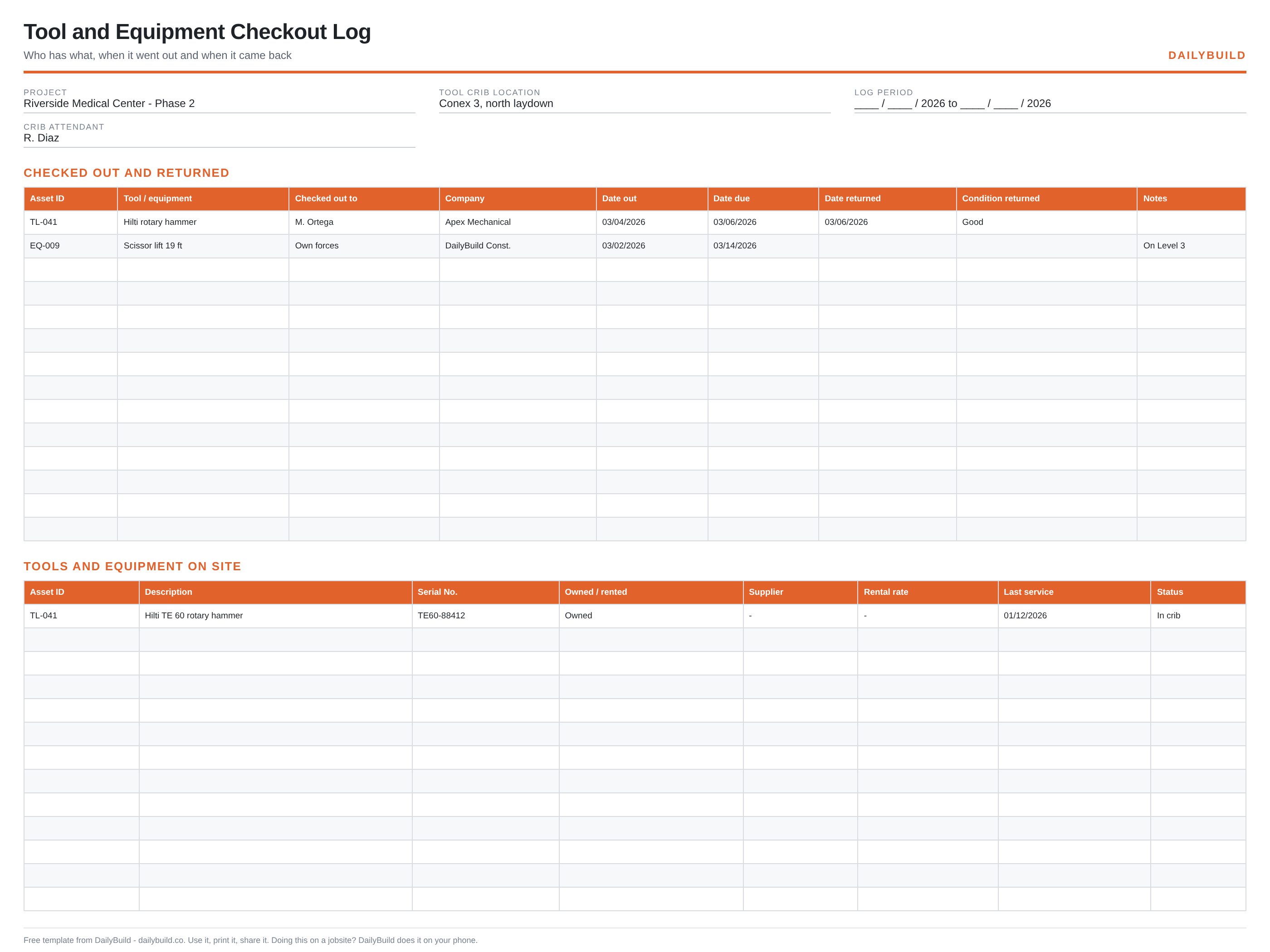
Stop losing tools. Log what went out, who has it, when it is due back and what condition it returned in, with an asset register for everything owned or rented on the job.
14-day free trial. No credit card required
- No signup required
- Excel and Google Sheets
- Print-ready PDF included
- 100% free

Get all 30 construction templates
Editable Excel files plus the paper-to-app checklist. Enter your email for the complete construction bundle.
What's inside the template
Built from records that hold up when somebody asks.
Checkout entries
Asset ID, tool, person, company and the date it left the crib.
Due and returned dates
What is overdue is obvious at a glance.
Condition on return
Good, damaged or needs service, recorded at the counter.
Asset register
Description, serial number, owned or rented, supplier and rental rate.
Service dates
Last service per asset, so inspections do not lapse mid-job.
Status column
In crib, issued, off site for repair or returned to the rental house.
What's included
Two files, no signup, nothing locked.
An .xlsx workbook you can edit and a formatted PDF you can print for the truck or the trailer wall.
Excel workbook (.xlsx)
Opens in Microsoft Excel, Numbers and Google Sheets. Edit every column and add your own.
Print-ready PDF
Landscape, fit to one page width, with sample rows you can clear before printing.
Sample entries
A few filled rows so the crew can see the level of detail expected, then blank rows to work in.
Free to share
Send it to your subs, your PM, or your whole company. No email address, no watermark.
How to use it
Four steps, start to finish.
- 1
Set up the asset register
List everything on site with an asset ID, serial number and owned or rented status.
- 2
Log every issue
Asset ID, who is taking it, their company, date out and date due.
- 3
Check it back in
Date returned and the condition it came back in.
- 4
Review the open lines weekly
Chase overdue items and send back rentals that are finished.
Before and after
What changes once the record is consistent.
Without a set format
- Tools that disappear with no name attached
- Rentals billing after the work is done
- Damaged tools back on the shelf
- No idea what is actually on site
- Inspection dates quietly lapsing
With this template
- Every issued item has a name against it
- Overdue returns visible at a glance
- Damage caught at the counter
- A current register of owned and rented gear
- Service dates tracked per asset
Excel vs. DailyBuild
When the spreadsheet stops keeping up.
The template is free and it works. When the same record has to be captured every day, by several people, from the field, an app does it faster.
| Capability | Excel Template | DailyBuild Software |
|---|---|---|
| Checkout and return log | ||
| Asset register | ||
| Condition tracking | ||
| Photo of the item at issue and return | ||
| Logged from a phone at the crib | ||
| Equipment hours in the daily report | ||
| Searchable across projects |
What changes when you switch
- Weather fills itself in for every report
- Crew hours flow straight into timesheets
- One tap sends a branded, signed PDF
Ready to do this from your phone?
Inside DailyBuild
Daily reports in DailyBuild
- Weather fills in automatically
- Crew sign-off on every report
- Branded PDF export in one tap
No credit card required to start your trial
Frequently asked
Tool and Equipment Checkout Log Template FAQs
More free templates
Related free construction templates.
Free Equipment Log Template
Equipment hours, usage and maintenance on the job.
Open templateFree Material Delivery Log Template
Record every delivery as it lands.
Open templateFree Ladder Inspection Checklist
Inspect and document ladders before use.
Open templateAll free construction Excel templates
The full library of free jobsite spreadsheets and PDFs.
Open templateKnow where every tool went and when it is due back.
Download the template free, or let DailyBuild capture the same record on your phone and email the PDF before you leave the jobsite.