

DailyBuild Construction Daily Reports App
    Free Safety Template · No signup

    Free OSHA 300 Log 300A & 301 Workbook

    The whole recordkeeping set in one file: the 300 Log, the 300A annual summary with totals that calculate themselves, the 301 incident report, and a plain-language guide to deciding whether a case is recordable at all.

    Download Free Excel TemplateDownload Print-Ready PDF
    Document jobsite safety

    14-day free trial. No credit card required

    Preview Template

    Used by contractors to keep injury and illness records audit-ready all year.

    • No signup required
    • Excel + print-ready PDF
    • OSHA aligned
    • 100% free
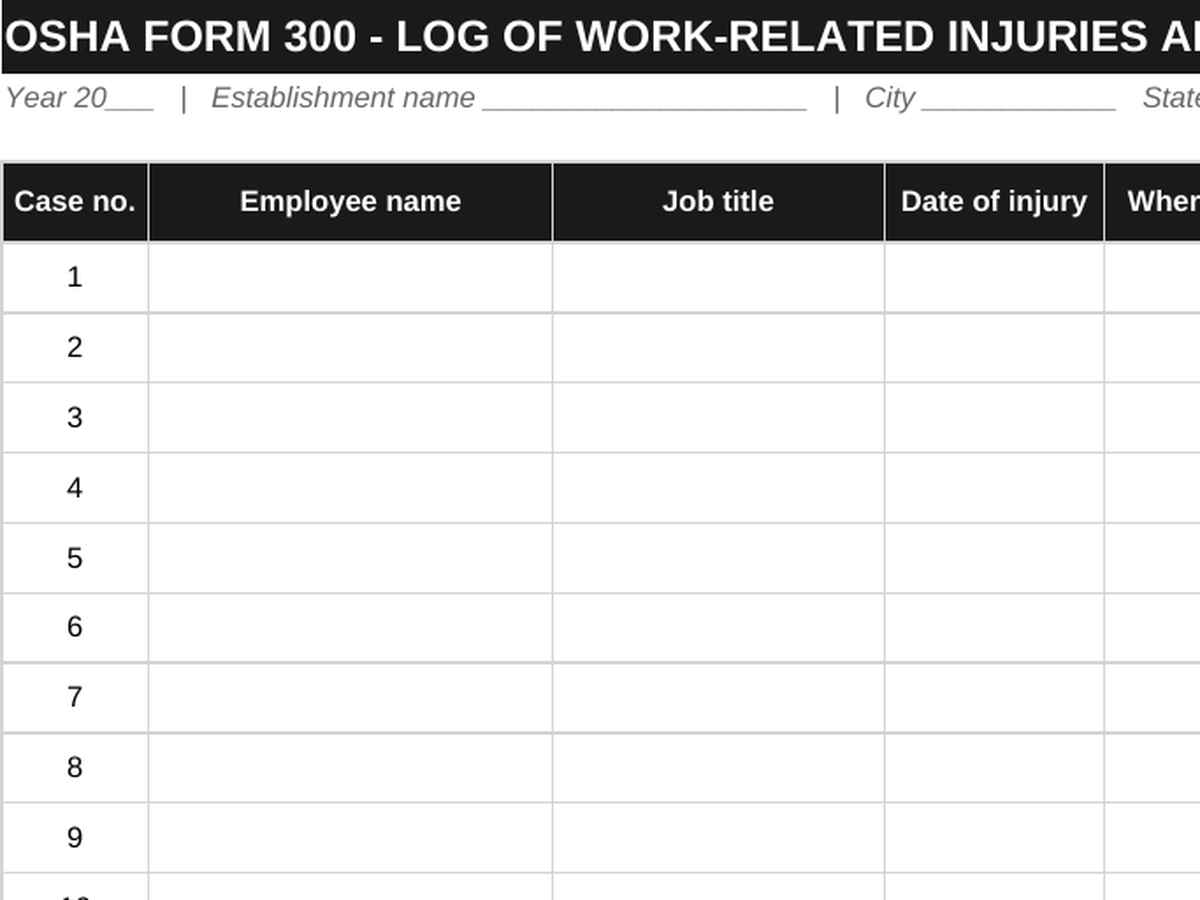
    Free OSHA 300 log template preview - case number, employee name, job title, date of injury, where the event occurred, description, and case classification columns
    DailyBuild_Free_OSHA_300_Log_Template.xlsx
    Download
    Free bundle

    Get all 11 safety templates

    Editable Excel files plus the paper-to-app checklist. Enter your email for the complete safety bundle.

    Instant download | One email list | Unsubscribe anytime

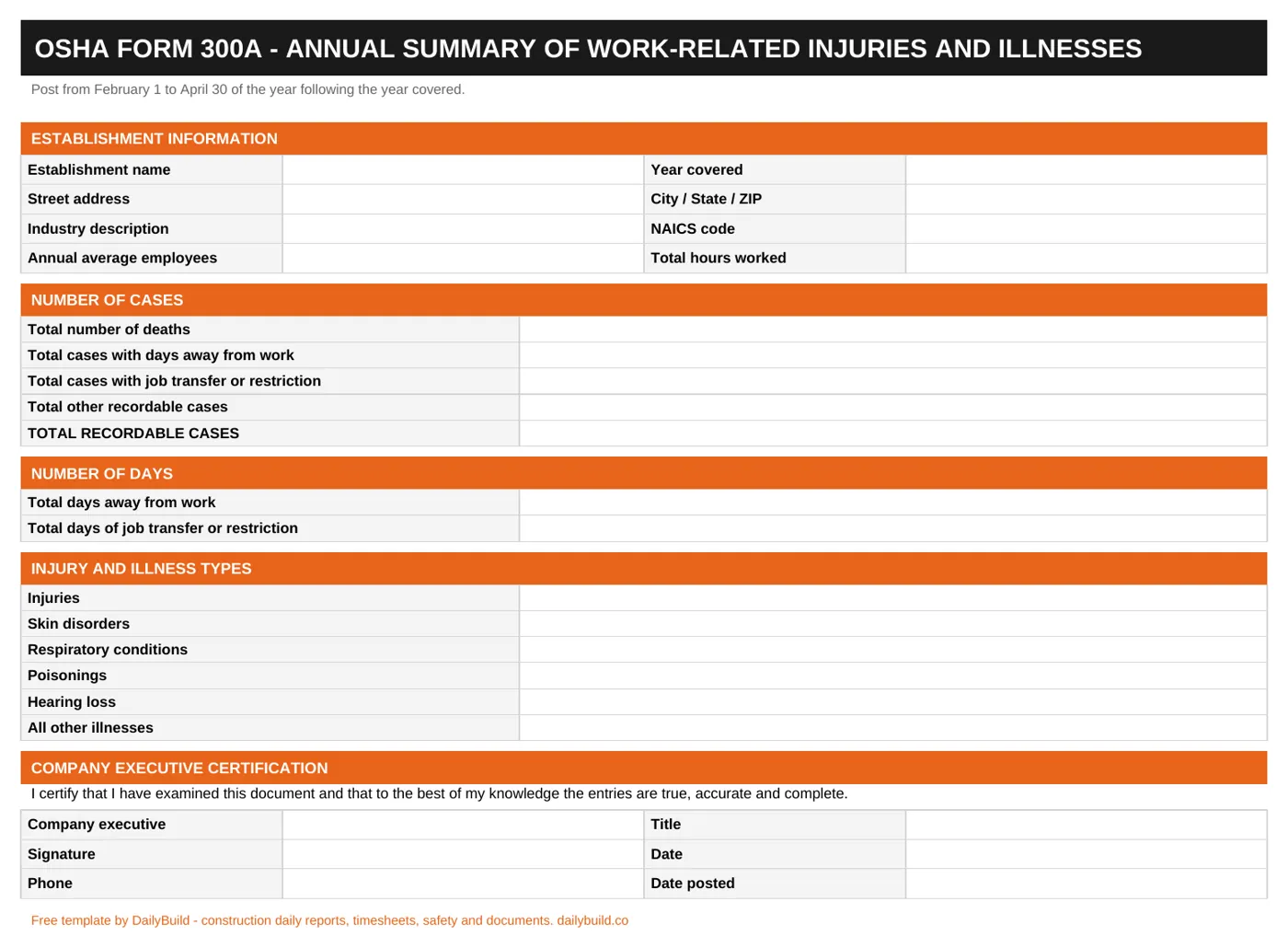
    OSHA 300A annual summary sheet with establishment information, number of cases, number of days, injury and illness types, and company executive certification

    The 300A annual summary - establishment details, case counts, day counts, illness types, and the executive certification block, ready to post February 1 to April 30.

    What's inside the workbook

    Three OSHA forms and the guidance to use them.

    OSHA 300 Log

    Twenty case rows with case number, employee, job title, date, location, description, and classification.

    Case Classification Columns

    Death, days away, job transfer or restriction, and other recordable - one column per case.

    Day Count Columns

    Calendar days away and days restricted, capped at 180 per case as OSHA requires.

    OSHA 300A Summary

    Establishment information, annual average employees, and total hours worked.

    Automatic Totals

    Case and day totals roll up from the log so the summary is not retyped.

    Illness Type Breakdown

    Injuries, skin disorders, respiratory conditions, poisonings, hearing loss, and all other illnesses.

    Executive Certification

    The signature block a company executive must sign before the summary is posted.

    Recordability Quick Reference

    Plain-language guide to work-relatedness, new cases, first aid versus medical treatment, and privacy cases.

    Severe Event Reporting

    The 8-hour and 24-hour reporting rules printed where you will see them.

    Print & PDF Ready

    Landscape 300 Log and portrait 300A, both formatted to print clean.

    What's included

    The full recordkeeping set.

    Everything a construction employer needs to keep, certify, and post injury and illness records for the year.

    Instructions

    Who must keep records, what is exempt, and the annual calendar.

    300 Log Sheet

    The case-by-case log of recordable injuries and illnesses.

    300A Summary Sheet

    Annual summary with totals calculated from the log.

    301 Incident Report

    The detailed per-case report kept behind each log entry.

    Recordability Guide

    Is it work related? Is it a new case? Does it meet a criterion?

    First Aid List

    The treatments OSHA counts as first aid and not medical treatment.

    One File Per Year

    Records are kept for five years after the year they cover.

    100% Free

    No subscription, no email, no credit card required.

    OSHA recordkeeping basics

    Recordkeeping is judged on accuracy, not effort.

    The OSHA 300 Log is the year's record of work-related injuries and illnesses. Most construction employers with more than ten employees must keep it, certify the 300A summary, and post that summary from February 1 through April 30 of the following year. This workbook keeps all three forms together so nothing is reconstructed in January.

    Three questions decide recordability

    Is it work related? Is it a new case? Does it meet one of the general recording criteria - death, days away from work, restricted work or job transfer, medical treatment beyond first aid, loss of consciousness, or a significant diagnosis by a licensed health care professional? If yes to all three, log it within seven calendar days.

    First aid is not medical treatment

    Non-prescription medication at non-prescription strength, wound cleaning, bandages, hot or cold therapy, non-rigid supports, tetanus shots, splinter removal, and draining a blister are first aid. Stitches, prescription medication at any dose, physical therapy, and rigid devices such as casts are medical treatment and make the case recordable.

    Count calendar days, cap at 180

    Day counts begin the day after the injury and include weekends and holidays. Cap the count at 180 days per case. Count days away and days restricted separately, and where a case involves both, record the days in each column.

    Privacy cases

    For intimate body part injuries, sexual assault, mental illness, HIV, hepatitis, tuberculosis, needlesticks, or when the employee requests it, write "Privacy Case" instead of the name and keep the separate confidential list.


    How to use the workbook

    Keep the year's records straight.

    1. 01

      Confirm you must keep records

      Most construction employers with more than ten employees are covered and not partially exempt.

    2. 02

      Decide if the case is recordable

      Use the quick reference: work related, new case, and meets a general recording criterion.

    3. 03

      Log it within seven days

      Add the case to the 300 Log within 7 calendar days of learning about it.

    4. 04

      Classify the case

      Mark one column only: death, days away, job transfer or restriction, or other recordable.

    5. 05

      Count the days

      Calendar days away and restricted, starting the day after the injury, capped at 180.

    6. 06

      Complete a 301 report

      Fill the incident report sheet for each case and keep it with the log.

    7. 07

      Total and certify the 300A

      Totals roll up automatically - have a company executive certify the summary.

    8. 08

      Post February 1 to April 30

      Post the 300A where notices are usually posted, then keep the records for five years.

    Why contractors use this workbook

    The difference organized records make.

    Scattered Injury Paperwork

    • Cases logged from memory in January
    • Recordability guessed at
    • Day counts wrong or missing
    • Summary totals retyped by hand
    • No 301 report behind the log entry
    • First aid cases logged unnecessarily
    • Privacy cases handled wrong
    • Nothing ready for an inspection

    DailyBuild OSHA Recordkeeping Workbook

    • Cases logged within seven days
    • Recordability decided against the criteria
    • Calendar day counts capped correctly
    • 300A totals calculated from the log
    • 301 report kept with every case
    • First aid list to check against
    • Privacy case handling built in
    • Audit-ready file for five years

    Excel vs. DailyBuild

    Recordkeeping starts with reporting.

    The workbook keeps the records. DailyBuild makes sure the incidents behind them get reported from the field the day they happen.

    CapabilityExcel TemplateDailyBuild Software
    Structured Safety Form
    Print & PDF Ready
    Free to Use
    Filled Out on a Phone in the Field
    Photos Attached to Each Record
    Corrective Actions Assigned to a Person
    Automatic Overdue Reminders
    Linked to Daily Reports
    Automated PDF Distribution
    Cloud Storage & Backup
    Trends Across Every Project
    Searchable Historical Records

    What changes when you switch

    • Weather fills itself in for every report
    • Crew hours flow straight into timesheets
    • One tap sends a branded, signed PDF
    Start Free Trial

    Ready to capture incidents before they hit the log?

    Inside DailyBuild

    The DailyBuild safety hub

    • E-signatures from every worker
    • Attendance captured on site
    • Records filed to the project
    Start Free Trial

    No credit card required to start your trial

    Frequently asked

    OSHA 300 Log FAQs

    Free iPhone and Android apps

    Run these logs from your phone

    The DailyBuild app turns the same daily report, timesheet and punch list into something your crew fills out on site - photos, hours and signatures included, with branded PDFs sent automatically.

    Download DailyBuild on the App StoreGet DailyBuild on Google Play
    DailyBuild mobile app Today screen with today's report, time, photo and safety actions

    Records That Survive an Inspection.

    Download the free DailyBuild OSHA 300, 300A and 301 workbook today or upgrade to DailyBuild to capture the incidents behind the log from the field.
