

DailyBuild Construction Daily Reports App
    Free Safety Template · No signup

    Free Safety Observation & Good Catch Card

    Sixty seconds, one card, one hazard removed. Record what you saw, whether it was safe or at-risk, what you did about it on the spot, and what still needs following up - then watch the trends in the observation log.

    Download Free Excel TemplateDownload Print-Ready PDF
    Document jobsite safety

    14-day free trial. No credit card required

    Preview Template

    Used by crews running good catch and behavior-based safety programs.

    • No signup required
    • Excel + print-ready PDF
    • OSHA aligned
    • 100% free
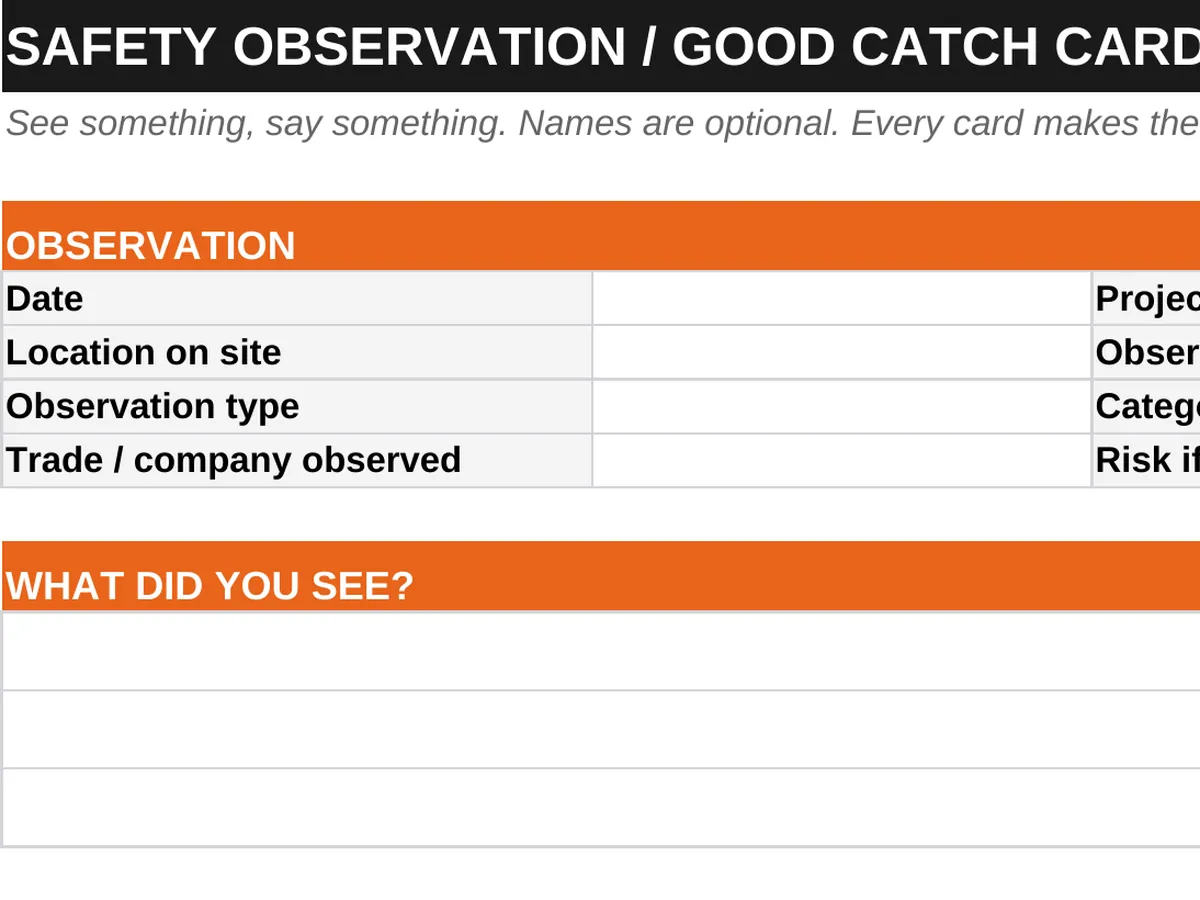
    Free safety observation card preview - observation details, hazard category, safe and at-risk behavior, immediate action taken, and follow-up
    DailyBuild_Free_Safety_Observation_Card_Template.xlsx
    Download
    Free bundle

    Get all 11 safety templates

    Editable Excel files plus the paper-to-app checklist. Enter your email for the complete safety bundle.

    Instant download | One email list | Unsubscribe anytime

    What's inside the card

    A card a worker will actually fill out.

    Observation Details

    Date, time, project, area, and observer - anonymous submission optional.

    Safe or At-Risk

    Recognize good work as well as hazards so the program is not only about catching people out.

    Hazard Category

    Fall, electrical, struck-by, caught-in, PPE, housekeeping, tools, and more.

    What Was Observed

    Short description of the condition or behavior in the observer's own words.

    Immediate Action Taken

    What was corrected on the spot before anything else happened.

    Follow-Up Required

    Who owns it, the target date, and the status when it is closed.

    Risk Rating

    Simple low, medium, high rating so the serious catches surface first.

    Monthly Observation Log

    Every card rolled into one log with category counts and open follow-ups.

    Crew Participation

    Card fits a pocket and takes under a minute, which is why crews keep using it.

    Print & PDF Ready

    Print a stack for the gang box or fill it out in Excel.

    What's included

    Card, log, and category list in one workbook.

    Designed for programs that want participation from the whole crew, not just the safety manager.

    Instructions

    How to introduce the program and keep cards coming in.

    Observation Card

    The one-page card for a single observation.

    Observation Log

    Running log of every card with category, risk, and status.

    Hazard Categories

    Standard category list so trends can actually be counted.

    Trend Counts

    See which hazard categories repeat month after month.

    Print-Ready PDF

    Pocket-sized layout for the field.

    Reusable Monthly

    Start a new log tab each month and compare.

    100% Free

    No subscription, no email, no credit card required.

    Why observations matter

    Leading indicators beat lagging ones.

    Incident rates tell you what already went wrong. A safety observation program tells you what is about to. Cards cost nothing, take a minute, and give a site a steady stream of hazards removed before anyone is hurt.

    Recognize safe work too

    If every card is a criticism, submissions stop within a month. Recording safe behavior - the tie-off that was already clipped, the housekeeping that was already done - keeps the program credible and keeps crews participating.

    Correct it on the spot

    The Immediate Action field matters more than the description. A hazard written down and left in place teaches the crew that cards are paperwork. A hazard corrected in the moment teaches them the opposite.

    Count the categories

    One card is an anecdote. Sixty cards with the same hazard category is a finding you can act on - a training gap, a missing tool, or a sequencing problem in the schedule.

    Never punish a report

    Programs die the first time a card is used for discipline. Keep names optional, treat the observation as information, and act on the condition rather than the person.


    How to use the card

    Sixty seconds, one hazard removed.

    1. 01

      Watch the work

      Spend a few minutes observing a task without interrupting it.

    2. 02

      Fill in the details

      Date, time, project, and area. The observer name is optional.

    3. 03

      Mark safe or at-risk

      Record both - good work is worth documenting.

    4. 04

      Pick the hazard category

      Use the standard list so trends can be counted later.

    5. 05

      Describe what you saw

      One or two plain sentences about the condition or behavior.

    6. 06

      Correct it immediately

      Fix what you can right there and write down what you did.

    7. 07

      Assign any follow-up

      Owner, target date, and risk rating for anything that cannot be fixed on the spot.

    8. 08

      Log it and review monthly

      Add the card to the observation log and review category trends with the crew.

    Why contractors use this card

    The difference a live observation program makes.

    Verbal Reminders Only

    • Hazards mentioned and forgotten
    • No record of good catches
    • Nothing to trend
    • Safe work never recognized
    • Follow-ups lost
    • Only the safety manager observes
    • No leading indicator
    • Nothing to show a client

    DailyBuild Safety Observation Card

    • Every hazard written down
    • Good catches recorded
    • Category trends counted monthly
    • Safe behavior recognized
    • Follow-ups with owners and dates
    • Whole crew participates
    • Real leading indicator data
    • Clean PDF record per card

    Excel vs. DailyBuild

    When observation cards need to leave the gang box.

    The card works on paper. DailyBuild captures the observation with a photo on a phone and routes the follow-up automatically.

    CapabilityExcel TemplateDailyBuild Software
    Structured Safety Form
    Print & PDF Ready
    Free to Use
    Filled Out on a Phone in the Field
    Photos Attached to Each Record
    Corrective Actions Assigned to a Person
    Automatic Overdue Reminders
    Linked to Daily Reports
    Automated PDF Distribution
    Cloud Storage & Backup
    Trends Across Every Project
    Searchable Historical Records

    What changes when you switch

    • Weather fills itself in for every report
    • Crew hours flow straight into timesheets
    • One tap sends a branded, signed PDF
    Start Free Trial

    Ready to collect observations from every crew?

    Inside DailyBuild

    The DailyBuild safety hub

    • E-signatures from every worker
    • Attendance captured on site
    • Records filed to the project
    Start Free Trial

    No credit card required to start your trial

    Frequently asked

    Safety Observation Card FAQs

    Free iPhone and Android apps

    Run these logs from your phone

    The DailyBuild app turns the same daily report, timesheet and punch list into something your crew fills out on site - photos, hours and signatures included, with branded PDFs sent automatically.

    Download DailyBuild on the App StoreGet DailyBuild on Google Play
    DailyBuild mobile app Today screen with today's report, time, photo and safety actions

    Catch It Before It Catches Someone.

    Download the free DailyBuild Safety Observation Card today or upgrade to DailyBuild to collect observations with photos from every crew on every project.
